EAS Security
 EAS Gate
 Security Tag
 EAS Accessories
 Gadgets
 Convex Mirror
 Road Barrier
 Burglar Alarm
 Calling System
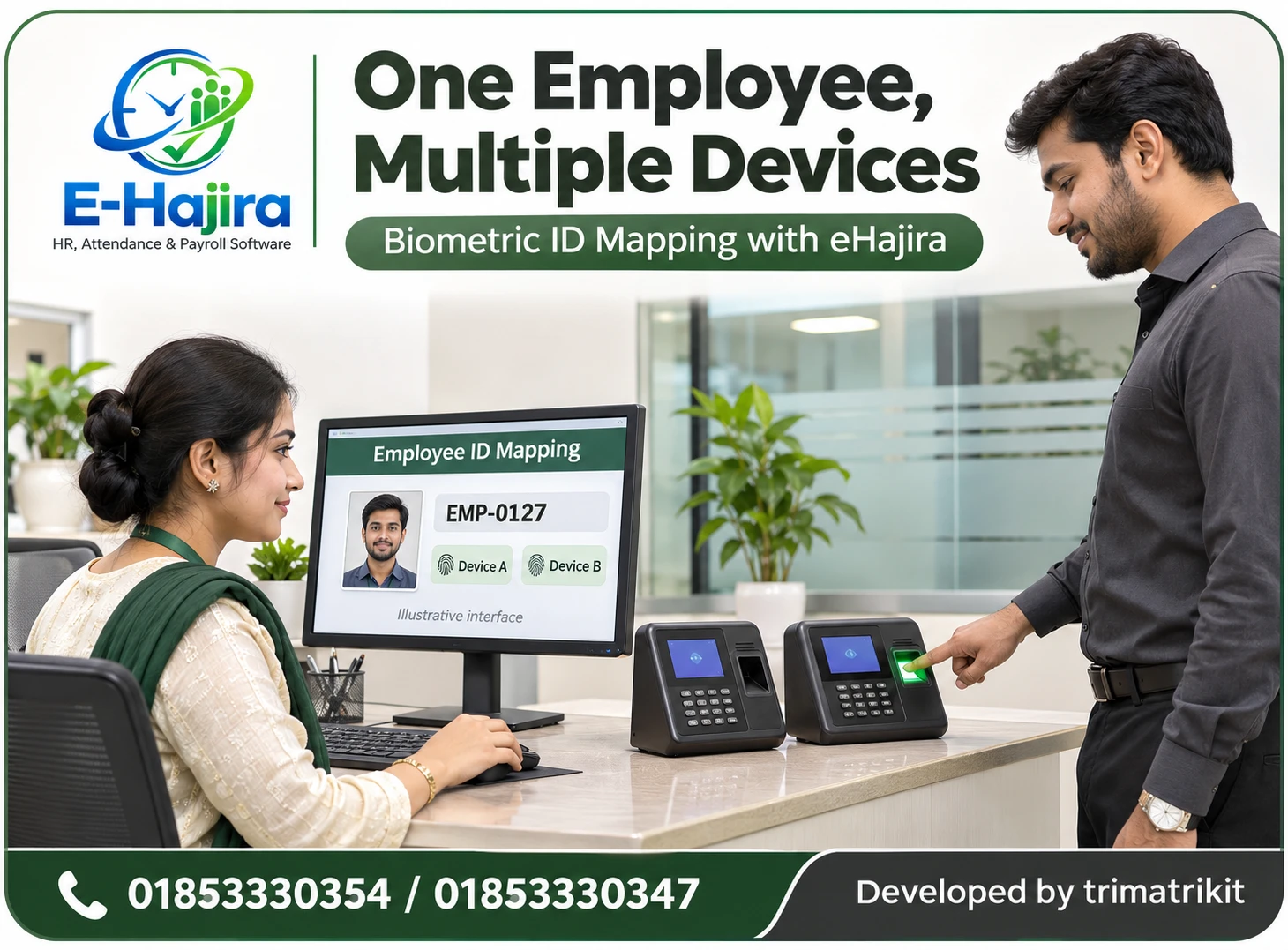
One Employee, Multiple Devices: Planning Biometric ID Mapping with eHajira
November 06, 2026
One Employee, Multiple Devices: Planning Biometric ID Mapping with eHajira
An employee may record attendance at a head office in the morning, visit another branch during the day and finish work at a warehouse. Each location may have its own biometric terminal, device user list and attendance records. For HR, the challenge is to ensure that these records belong to the correct employee without creating duplicate profiles or mixing one person’s attendance with another’s.
This is where employee enrollment and biometric ID mapping become important. A successful fingerprint verification at a device does not, by itself, confirm that the resulting attendance record has reached the correct employee profile in the central software.
For businesses in Bangladesh, this distinction matters when connecting existing terminals, opening branches or transferring employees. eHajira’s published information describes biometric and card-based attendance integration, device management and employee administration. The precise mapping and synchronisation functions available should be confirmed for the selected devices and implementation.
This guide explains how HR and technical teams can plan employee identity mapping around eHajira, test the complete attendance process and maintain reliable records across multiple devices.
What Is Employee Enrollment?
Employee enrollment establishes the information needed for a person to use an attendance system. It can involve creating an employee profile in HR software, registering a user on a device and enrolling an approved attendance credential.
These activities are connected, but they are not identical. Creating an employee record in eHajira does not necessarily enroll that person’s fingerprint on a terminal. Similarly, registering a fingerprint on a device does not automatically establish the employee’s department, shift or payroll details.
A clear enrollment process explains who creates the central record, who registers device credentials and who verifies the connection between them. This prevents staff from assuming that another team has completed an essential step.
What Is Biometric ID Mapping?
Biometric ID mapping links the user identifier associated with a device record to the appropriate employee identity in the central attendance system.
The phrase can be misleading because the identifier is not the fingerprint itself. A device user ID identifies a user account on the terminal. A biometric template is the data used by the recognition system to verify an enrolled person.
When a device produces an attendance event, the integration must associate that event with the correct employee. Depending on the implementation, it may use a shared identifier or a mapping that considers the source device and its local user ID.
The school, office or factory should confirm the actual method before connecting live employee records.
Why Multiple Devices Make Identity Planning More Important
A single terminal may have a straightforward enrollment list. Problems become harder to detect when several independently managed devices begin sending records into one system.
Two branches might already use the same local number for different employees. Alternatively, one employee might have different numbers on different terminals.
Neither situation should be resolved through assumptions. The implementation team must understand how incoming identifiers are interpreted and whether the integration supports the required relationships.
A coordinated mapping plan makes these relationships explicit. It gives HR a dependable way to verify whose attendance is being processed, even when the original devices were installed at different times.
How eHajira Fits into the Process
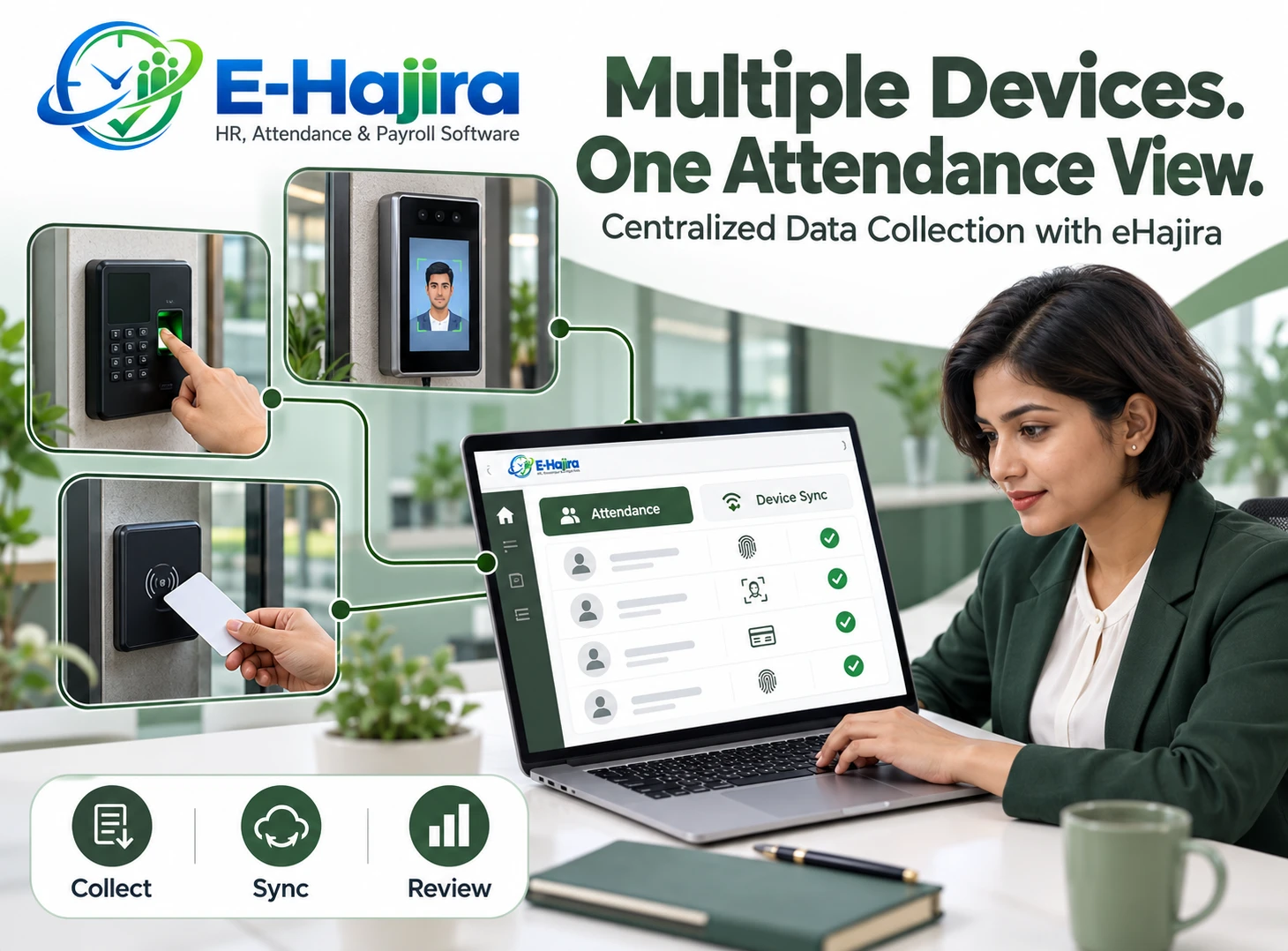
eHajira can provide the central attendance and employee-management context around which a mapping process is organised. Its published materials describe bringing attendance information from compatible devices into a shared system.
However, device compatibility must be checked for the actual model, firmware and connection method. A general statement about biometric integration does not establish that every terminal supports every enrollment or synchronisation function.
Businesses should distinguish collecting attendance logs, distributing device users and transferring biometric templates. These are separate requirements.
The workflow in this article is a proposed implementation approach. Functions such as device-specific ID aliases, historical remapping and automatic duplicate warnings should be demonstrated before the organisation relies on them.
Why This Matters in Bangladesh
A Bangladesh business may expand from one office to several branches while retaining its original attendance equipment. A factory may add a terminal near another entrance, or a service company may allow selected employees to work across locations.
These changes can expose inconsistencies that were previously hidden. A local employee number that worked well at one branch may conflict with another branch’s numbering system.
A practical implementation therefore begins with the organisation’s existing records rather than a completely new numbering assumption. HR needs to understand current employee identities, while technical staff need to understand the users and logs stored on each terminal.
This is an operational planning issue rather than a problem solved simply by purchasing additional devices.
Establish One Authoritative Employee Identity
Each employee should have one clearly governed identity within the central HR process. Staff should know which record represents the employee and how it connects to employment history.
Using names as the primary matching method is unreliable. Employees may share names, use abbreviations or have different spellings across records.
A stable employee identifier provides a more dependable reference. The organisation should define how identifiers are issued, who may change them and what happens when an employee leaves.
Where an existing identifier must change, the effect on attendance history and connected systems needs review. The objective is continuity, rather than repeatedly creating new profiles whenever an employee changes workplace.
Inventory Devices Before Changing Enrollment
Before mapping employees, the technical team should prepare a reliable device inventory. Each terminal needs an identifiable location and an understandable operational name.
A label such as “Main Gate” may be insufficient when several branches have a main gate. Including the branch and terminal reference reduces ambiguity.
The inventory should also record the details needed for compatibility review, such as model and firmware information. Administrative access should remain controlled.
This preparation helps staff distinguish a mapping problem from a connection problem. If a record cannot be traced to its source device, identifying the cause of incorrect attendance becomes significantly more difficult.
Review Existing Device User Lists
Existing terminals may contain active employees, former staff, temporary workers and test accounts. Connecting these lists without review can introduce unnecessary confusion into the central process.
HR and technical staff should compare device users with current employee records. Unfamiliar entries need investigation before anyone deletes or reassigns them.
Some accounts may be associated with historical logs that the organisation still needs to reconcile. Removing information too early can make that work harder.
The review should therefore establish ownership and status before making changes. Where exports or backups are available, the team should confirm that they are usable and handle them through an approved, secure process.
Understand Identifier Formatting
An identifier that looks similar on two screens may not be treated identically by the integration.
For example, “00127” and “127” may be equivalent in one system but distinct in another. Some terminals may restrict identifiers to numbers, while an employee code in HR software may contain letters.
The organisation should test the actual formatting rules instead of relying on visual similarity. Spreadsheet handling can also remove leading zeros if staff are not careful during preparation.
A documented format reduces inconsistency. If conversion is necessary, the implementation team should explain exactly how the source identifier becomes associated with the employee record and how collisions are prevented.
An Illustrative Mapping Scenario
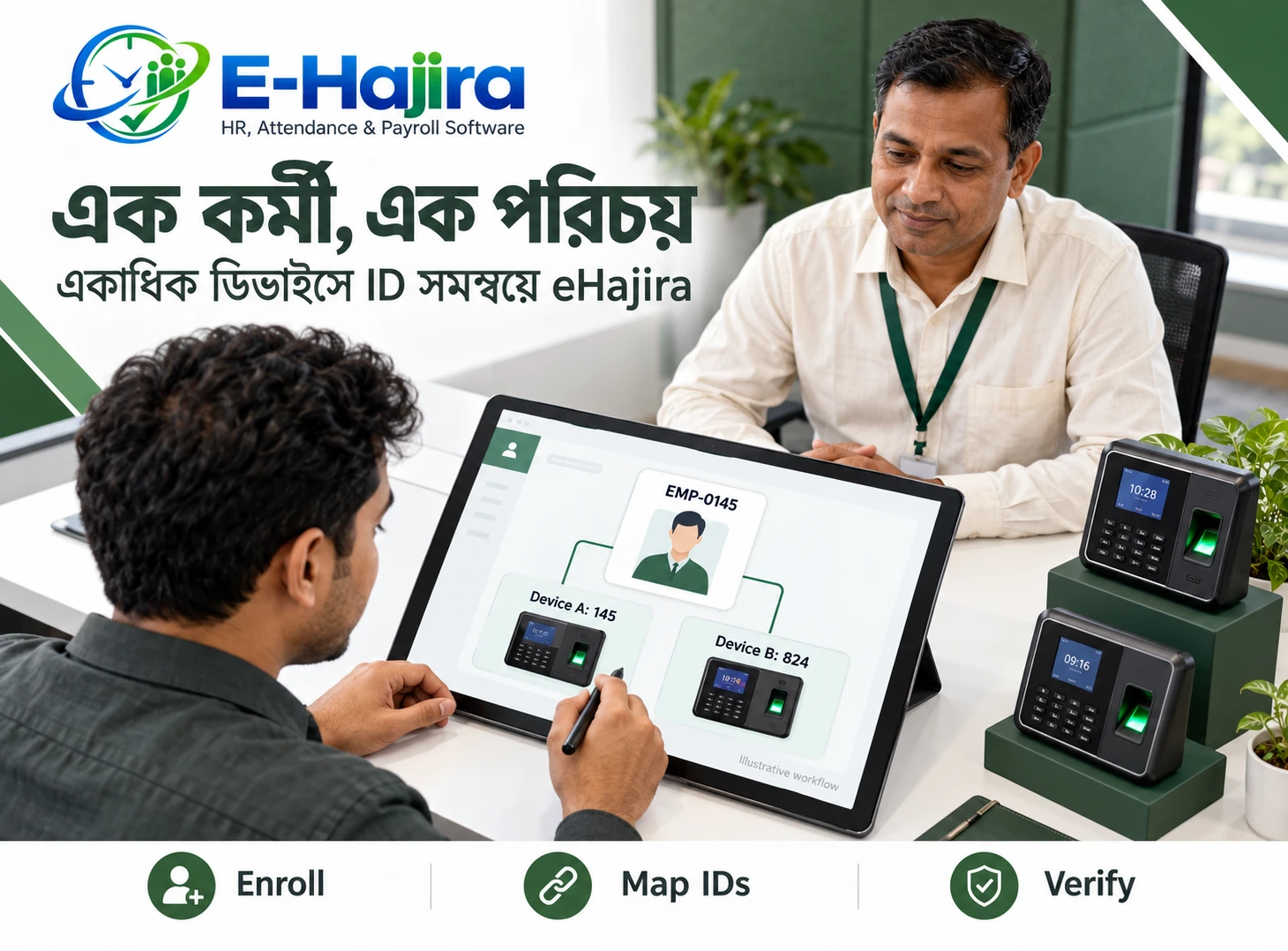
Consider an employee whose central HR identifier is EMP-00127. One terminal stores the employee under local user ID 127, while another terminal stores the same employee under 504.
The business wants attendance from both terminals to appear under the employee’s single profile.
There are different possible implementation approaches. A supported device-specific mapping could associate both local identities with the central employee. Alternatively, the team might standardise device identifiers after reviewing compatibility and historical records.
This example does not establish that eHajira supports every approach. The required relationship must be demonstrated. Staff should not create a second employee profile merely to make the second device’s records appear.
Detect Collisions before Connecting Live Data
An ID collision occurs when the same identifier is associated with different people within the scope used for matching.
Suppose local user ID 127 belongs to one employee at Uttara and another employee at Mirpur. If the integration interprets 127 as a globally unique identity, records could be attributed incorrectly.
If matching includes the device identity, the result may differ. That is why the matching scope needs explicit confirmation.
The safest approach is to test potential collisions before production use. The team should document the intended resolution and verify that historical records remain correctly associated after any change.
Separate Mapping from Template Synchronisation
Correct ID mapping does not guarantee that a fingerprint enrolled on one terminal will work on another. Mapping concerns identity association; template synchronisation concerns transferring recognition data.
ZKTeco’s official FAQ states that fingerprint templates using different algorithms are incompatible and advises checking algorithm versions when moving fingerprint data between devices. Where algorithms differ, re-enrollment may be necessary.
Businesses should therefore ask two separate questions: can the device’s attendance logs be collected, and can the required biometric credential be distributed?
Even where hardware permits template transfer, the selected integration must support the required process. A common employee ID alone does not provide that capability.
Plan Enrollment at Each Approved Device
Employees should be enrolled only on the terminals they are authorised to use, according to the organisation’s operating arrangements.
A visiting employee may need temporary attendance access at another branch. A permanent transfer may require a different process involving employee records and the previous location.
The team should confirm whether enrollment is performed locally, through supported software functions or through another approved method. Employees may need to attend a new enrollment session if credentials cannot be transferred.
This planning helps avoid a common misunderstanding: being mapped in the central software does not necessarily mean the employee is ready to verify successfully on every terminal.
Test the Complete Attendance Journey
A meaningful test begins with the employee using the terminal and ends with the expected record in eHajira.
The team should confirm that verification identifies the correct person, the device creates an event and the integration receives it. HR should then check that it appears under the intended employee.
Testing should cover each approved terminal, rather than assuming that success on one device proves the entire installation.
The expected timestamp and source location should also be reviewed where available. This end-to-end approach distinguishes recognition, communication, identity mapping and attendance interpretation as separate stages that can each require attention.
Review Shift Rules after Mapping
A correctly mapped punch can still produce an unexpected attendance result if the employee’s schedule is incorrect.
For example, an evening event may be interpreted differently depending on the assigned shift and the organisation’s attendance rules. A night shift can also involve events on two calendar dates.
HR should therefore verify the employee’s working arrangement alongside the device test. Mapping establishes whose event it is; attendance processing determines how the event is interpreted.
Employees moving between branches should receive clear instructions about authorised terminals and working hours. This prevents an identity correction from being mistaken for a complete solution to every attendance discrepancy.
Handle Delayed Logs Carefully
A terminal may store events that reach the software later. When this happens, the timing of an identity change can become important.
If staff reassign an old user ID before earlier records are collected, delayed events may become difficult to interpret. The exact risk depends on how the integration associates incoming data with employees.
Before changing identifiers, the technical team should review outstanding logs and confirm the handling of historical events.
The organisation should also distinguish the event time from the time it was received. A late-arriving record does not necessarily mean the employee recorded attendance late.
Avoid Reusing Employee IDs Prematurely
Reusing an identifier for a new employee can create confusion when historical logs, backups or disconnected devices still contain the previous identity.
A safer administrative practice is to maintain a clear separation between past and current employees. If the organisation must reuse an identifier, the implementation team needs a tested method that preserves the correct association of older records.
The same caution applies to device-local numbers. Clearing a name from a terminal does not automatically resolve all historical dependencies.
HR should define the identifier lifecycle as part of onboarding and exit administration, rather than leave number reuse to individual branch operators.
Manage Transfers and Device Replacement
Branch transfers and terminal replacement are predictable events that should have agreed procedures.
For a transfer, HR should confirm whether the central employee identity remains unchanged and what enrollment is needed at the destination. Relevant historical attendance should remain understandable.
For replacement hardware, the team should check existing users, outstanding logs and credential compatibility before retiring the old device.
A replacement test should include successful employee verification and correct attendance attribution in the software. Matching the old terminal’s visible user numbers is not sufficient evidence that all functions have transferred correctly.
Protect Enrollment Information
Biometric enrollment involves information that requires careful handling. Organisations should explain the purpose of collection and restrict administrative access to authorised staff.
Attendance logs, employee profiles and biometric templates should not be treated as interchangeable files. Their operational purpose and sensitivity differ.
Any export, transfer or backup should follow an approved process. Staff should avoid sharing enrollment files through uncontrolled channels merely because doing so appears convenient.
Businesses should also establish what happens to credentials when employment ends. The available deletion and retention controls should be verified for the devices and software involved, while preserving records the organisation appropriately needs.
Investigate Errors before Payroll Finalisation
An employee reporting a missing punch may have encountered a recognition problem, a communication delay or an incorrect mapping. These possibilities need different remedies.
HR should begin by checking whether the event exists on the source device and whether it reached the central system. If it appears under another identity, the issue requires careful investigation.
A correction should preserve a clear explanation of what changed and why. Staff should not repeatedly adjust attendance summaries while leaving the underlying mapping error unresolved.
Before monthly attendance is finalised, unresolved identity issues should be reviewed. This reduces the risk of using incomplete or misattributed records in payroll preparation.
Frequently Asked Questions
1. What is biometric ID mapping?
It is the association between a device user identifier and the correct employee identity in the central system. It helps ensure that attendance events are attributed to the intended person.
2. Is a biometric ID the same as a fingerprint?
No. The identifier refers to a user account or record. A fingerprint template is recognition data associated with enrollment, and its transfer involves separate compatibility considerations.
3. Can one employee use several attendance devices?
Yes, where the employee is authorised, enrolled appropriately and correctly associated with the central record. The complete process should be tested on each relevant device.
4. Must every terminal use the same user ID?
That depends on the integration’s matching method. Some implementations may require consistent IDs, while others may support device-specific associations. Confirm the actual requirement before changing records.
5. Can eHajira map different local IDs to one employee?
This specific requirement should be demonstrated in the proposed deployment. General device integration information does not confirm every possible mapping arrangement.
6. Why should employee names not be the main matching key?
Names can repeat or vary in spelling. A governed identifier provides a clearer basis for distinguishing employees and maintaining continuity across devices.
7. What happens when two branches use the same number?
The outcome depends on whether matching is global or device-specific. The organisation should identify collisions and test their resolution before importing live records.
8. Does mapping automatically copy fingerprints?
No. Identity mapping and biometric template distribution are separate processes. Credential transfer depends on hardware compatibility and the capabilities of the selected integration.
9. Can fingerprints be transferred between different ZKTeco devices?
Sometimes, subject to compatibility. ZKTeco identifies algorithm differences as a barrier to template transfer. The actual devices and supported transfer method must be checked.
10. Does collecting logs prove full device compatibility?
No. Log collection does not establish support for user distribution, template transfer or every device function. Each required capability needs separate verification.
11. Can existing device numbers be changed?
They may be changeable, but the effect on enrollment and historical logs must be assessed first. Changes should follow a tested plan rather than ad hoc editing.
12. Why do leading zeros matter?
An identifier such as 00127 may be handled differently from 127. Staff should test how devices, imports and software interpret the format.
13. Should a transferred employee receive a new profile?
Usually, the organisation should preserve identity continuity where appropriate. The implementation team should explain how branch changes are handled without unnecessarily splitting employment history.
14. Can employees share one device account?
They should have individually attributable attendance identities. Shared accounts make it difficult to establish whose event was recorded and undermine reliable attendance administration.
15. What should HR do when a punch is missing?
Check the source event, communication status and employee association before making assumptions. The problem may exist at a different stage from the final attendance report.
16. Can delayed logs create mapping problems?
They can complicate changes, particularly when identifiers are reassigned. Outstanding records should be reviewed before identity changes are made.
17. Does correct mapping guarantee correct working hours?
No. Shift assignments and attendance rules affect how events are interpreted. Identity mapping establishes ownership, while schedule processing determines the attendance outcome.
18. What should be tested when replacing a terminal?
Test credential verification, event creation, log collection and correct employee attribution. Outstanding records and template compatibility also need attention.
19. Who should manage enrollment changes?
The organisation should assign clear responsibilities between HR and authorised technical staff. Changes should be documented and reviewed according to their impact.
20. Should biometric files be sent through ordinary messaging groups?
Uncontrolled sharing should be avoided. Enrollment information needs an approved transfer process and access limited to those responsible for the work.
21. What is the best way to begin implementation?
Start with a limited set of employees and representative devices. Test normal attendance, cross-branch use and an identity conflict before expanding the arrangement.
Build Reliable Attendance around a Consistent Employee Identity
One employee using several devices should produce a clear attendance history, rather than several disconnected identities. Achieving this requires accurate employee records, understood device identifiers and a tested association between them.
For Bangladesh businesses considering eHajira, the strongest starting point is a demonstration using actual device models and realistic employee scenarios. Confirm log collection, mapping behaviour and any template-transfer requirements separately.
With clear responsibilities and controlled changes, HR can investigate discrepancies more effectively and prepare attendance records with greater confidence.
To discuss employee enrollment and multi-device attendance integration, contact 01853330354 / 01853330347 and request an eHajira demonstration based on your organisation’s devices and branch structure.
Recent Post