EAS Security
 EAS Gate
 Security Tag
 EAS Accessories
 Gadgets
 Convex Mirror
 Road Barrier
 Burglar Alarm
 Calling System
Reaching Multiple Parents with Bulk SMS and Email in eBiddyaPro
November 09, 2026

Reaching Multiple Parents with Bulk SMS and Email in eBiddyaPro
A school announces a revised examination date, but several parents receive the information too late. An accounts officer prepares fee reminders using an outdated contact list. A teacher shares an important notice with one group of guardians while another group receives a different version. These everyday situations show why school communication needs more than a collection of phone numbers.
Schools need accurate guardian records, clear recipient selection, understandable messages, and a process for reviewing what happened after sending. Bulk SMS and email can support that process when the software, delivery services, and staff responsibilities work together.
For institutions considering eBiddyaPro, parent communication should be evaluated alongside student information, academic administration, and fee management. The purpose is to help the school reach the appropriate families with relevant information while reducing repeated manual work.
This guide explains how Bangladesh schools can plan bulk SMS and email communication around eBiddyaPro, what they should verify during implementation, and how to make messages more useful for parents.
Understanding Bulk SMS and Email in eBiddyaPro
Bulk messaging means preparing a communication for multiple selected recipients through a coordinated sending process. A school might contact every guardian about a closure or notify only the parents of students attending a particular class.
The audience matters as much as the message. An institution-wide announcement can use general wording, while a private fee reminder requires accurate student information and careful recipient selection.
eBiddyaPro’s published practical guide discusses guardian information and communication, while advising schools to confirm available channels, message costs, and delivery reporting. Schools should therefore verify specific SMS and email capabilities in their proposed configuration rather than assuming that every messaging function is included.
Why Parent Communication Matters in Bangladesh
Schools in Bangladesh may work with families who have different levels of access to digital communication. Some guardians regularly check email, while others rely more heavily on phone calls and text messages. A parent may use a basic handset or share a phone with another family member.
A practical communication plan should accommodate these differences. The school needs to know which channel each guardian can use reliably and whether an alternative contact method is necessary.
When evaluating eBiddyaPro, institutions should connect the software discussion to these actual circumstances. A communication process is useful when parents receive and understand the information, rather than simply when the school submits a large number of messages.
Start with Reliable Guardian Information
Accurate communication begins with accurate records. Guardian names, mobile numbers, email addresses, and their relationships to students should be reviewed during admission and updated when circumstances change.
The primary communication contact should be distinguished from the emergency contact. Someone authorized to collect a child during an emergency may not be the appropriate person to receive financial reminders or academic information.
Schools should establish a clear method for updating contact details in eBiddyaPro. A number changed in a teacher’s notebook but left unchanged in the central student record can continue causing delivery problems. Staff should know who verifies changes and who updates the official record.
Connect Each Guardian to the Correct Student
A contact number alone does not explain which student, class, or branch a message concerns. The relationship between the guardian record and student profile is essential.
This becomes particularly important when one guardian has children in different classes. A general school notice may need to reach that person once, while a student-specific reminder may require separate messages.
During an eBiddyaPro demonstration, ask how shared guardian contacts are handled. Review whether the system can distinguish family-level announcements from communications tied to individual student records. This helps the school avoid unnecessary duplicates without losing important child-specific information.
Select Recipients Before Preparing the Final Message
A message should be written for a defined audience. A campus closure notice, a Class Eight examination update, and an outstanding-fee reminder each require different recipient selection.
Schools should demonstrate their required audience filters in eBiddyaPro. Depending on the configuration, these might involve institution, branch, academic session, class, section, or an approved individual selection.
Check the final audience before sending. A class name can appear in several branches or historical sessions. Selecting “Class Six” without confirming the campus and academic session may create an unintended audience. A brief review can prevent a confusing school-wide correction later.
Use SMS for Short, Actionable Information
SMS is suitable for a concise instruction that parents can understand quickly. A revised reporting time, a meeting reminder, or a short notice about a schedule change may fit this format.
An illustrative message could say: “Greenfield School: The Class Six parent meeting is on 18 November at 10:00 AM in Room 204. Please contact the school office for assistance.”
This example is sample wording, not a confirmed eBiddyaPro template. The school should test how its actual message appears on recipients’ phones. Include the school identity, relevant audience, clear date, and required action without unnecessary promotional language.
Use Email When Parents Need More Detail
Email can provide a fuller explanation than a short text message. Schools may use it for academic circulars, admission guidance, meeting information, or longer updates, where the configured service supports those uses.
However, collecting an email address does not establish that a guardian checks it regularly. Schools should verify contact accuracy and ask parents which channel they prefer for routine information.
For eBiddyaPro, confirm the supported email connection, sender identity, reply address, and any attachment restrictions. SMS and email should each be demonstrated separately. A working SMS service does not automatically establish that bulk email is configured.
Write Clear Messages in the Appropriate Language
Parents should not need to call the school simply to understand a notice. Avoid unclear abbreviations, incomplete dates, and references such as “tomorrow” when a message could be read later.
Language should match the intended audience. Bangla may be appropriate for many communications, while English may suit some institutions or parent groups. The decision should reflect understanding rather than appearance.
A school preparing messages through eBiddyaPro should use consistent names for branches, classes, and events. The wording should also explain whether the parent must attend, reply, make a payment, or simply note the information.
Understand Bangla SMS Length and Costs
SMS costs can depend on the number of message segments rather than the number of recipients alone. A message that appears short on screen may still require multiple chargeable segments.
Common SMS encoding supports up to 160 GSM-7 characters in a single segment, while Unicode messages typically have a smaller capacity. Multipart messages also have reduced per-segment limits. Bangla text generally requires Unicode handling, and combining marks can make a visible-character count misleading.
Ask the SMS provider to demonstrate the actual segment calculation for the complete message. Include the school name, punctuation, and personalized values when estimating the cost of an eBiddyaPro messaging campaign.
Review Personalized Fields Before Sending
Personalization can make a reminder more relevant, but incorrect fields can create confusion. A student name, class, or amount must come from the correct record.
If the proposed eBiddyaPro configuration supports personalized messages, preview several recipients. Include records with long names, missing information, shared guardian numbers, and different branches.
The preview should show the final message rather than only the template. Unresolved placeholders or incorrect amounts should be corrected before sending. Staff should also understand what happens when a required field is blank and whether that recipient is skipped or receives incomplete wording.
Coordinate Fee Reminders with Accounts Staff
A fee reminder should reflect the school’s reviewed account position. Recent payments, concessions, adjustments, and partial settlements can change the amount that should be communicated.
Before using an eBiddyaPro-related reminder process, the accounts officer should approve the relevant balances and recipient group. If direct balance-based selection is unavailable, the school needs another controlled method of preparing the audience.
The message should remain respectful. Identify the relevant fee period and provide a way to resolve discrepancies. Sending a reminder does not prove that the underlying balance is correct, so parents need a practical contact route for questions.
Verify Attendance Alerts Separately
General bulk messaging and automatic absence notifications are different capabilities. The ability to send a notice to several guardians does not establish that attendance records automatically trigger SMS alerts.
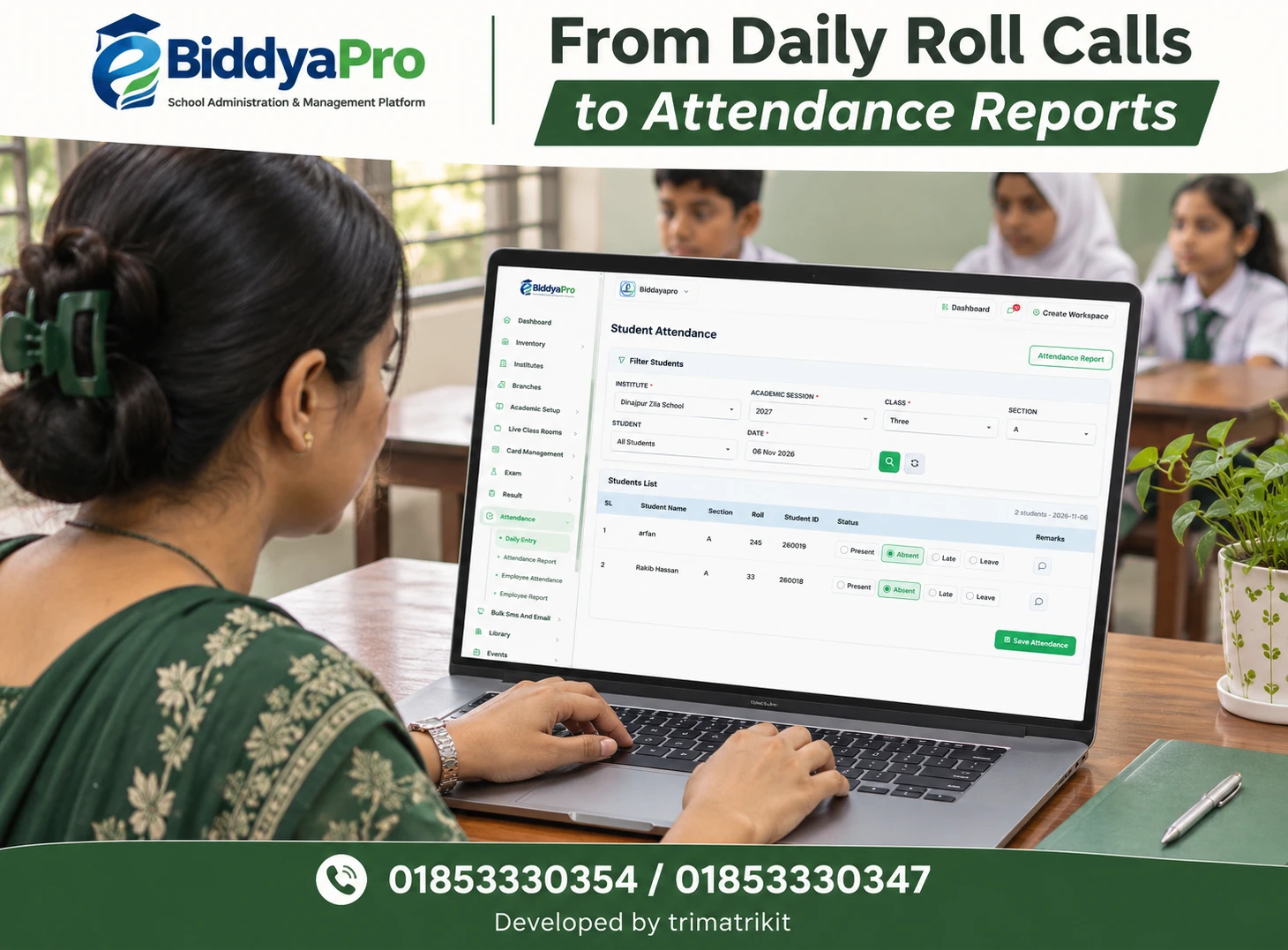
Schools should separately verify the required attendance-to-message workflow in eBiddyaPro. They should understand when attendance becomes final enough to justify a notification.
A late arrival, incomplete manual entry, or delayed device synchronization can affect the record. The school should define how such situations are reviewed and how an incorrect alert is corrected. Clear attendance procedures make parent communication more trustworthy.
Organize Messages Across School Branches
Branches may have different calendars, office contacts, meeting times, and fee arrangements. A central notice should not accidentally replace a campus-specific instruction.
During implementation, ask how eBiddyaPro can support the institution’s required branch selection and access restrictions. Confirm whether branch staff can communicate only with their own guardians or can select wider audiences.
Each message should identify the relevant campus where necessary. The school should also decide who approves institution-wide announcements. Clear responsibility reduces the risk of parents receiving conflicting messages from different offices.
Clarify Gateway Setup and Service Responsibilities
The school management platform and message delivery service are separate parts of the arrangement. Schools need to understand which provider handles SMS, who owns the account, how credits are managed, and who investigates failures.
Bangladesh’s BTCL Alaap Cloud describes its bulk SMS service in connection with registered SMS aggregators. Schools should clarify the actual provider arrangement and applicable requirements with their implementation team.
An eBiddyaPro quotation should distinguish software costs from messaging usage. Confirm current rates, setup charges, sender identification arrangements, and support responsibilities before budgeting for regular campaigns.
Configure Email with a Recognizable Sender
Parents should be able to recognize the school’s email identity and reply through a monitored address. A notice sent from an unfamiliar account can cause uncertainty.
Technical configuration also affects delivery. Google’s sender guidance requires SPF or DKIM for senders to personal Gmail accounts and additional authentication requirements for higher-volume senders. The responsible technical team should evaluate the school’s sending arrangement against the applicable requirements.
For eBiddyaPro, confirm who manages email authentication, provider limits, and delivery troubleshooting. A successful message to one test address is useful evidence, but it does not guarantee successful delivery to every parent.
Protect Student and Guardian Information
School communications can contain sensitive academic or financial information. Recipient selection and message content should therefore match the purpose of the communication.
A general notice rarely needs detailed student information. A private reminder should go only to an authorized guardian. Bulk email should not unnecessarily expose other families’ addresses.
Ask the eBiddyaPro team to demonstrate recipient privacy and access controls. Schools should also establish practical rules for contact exports, downloaded reports, and staff access. Information should remain under institutional control when employees change roles or leave.
Distinguish Sending, Delivery, and Understanding
A message may be queued, accepted by a provider, delivered according to a network report, or rejected. The available statuses depend on the configured service.
Schools should ask what each status means in eBiddyaPro or the provider portal. Successful submission does not establish that the intended guardian read or understood the communication.
Important announcements may require additional confirmation. If a change affects student collection or an urgent school arrangement, staff should decide whether direct follow-up is necessary. Delivery reports support that decision but should not be treated as universal proof of awareness.
Pilot the Process Before School-Wide Use
A small trial can reveal problems before they affect hundreds of families. Begin with approved test contacts and review sender identity, wording, formatting, and links.
Then test a routine notice with a limited parent group. Review whether the recipients were correct and whether the message produced the intended understanding.
An eBiddyaPro pilot should also include an invalid number, a missing email address, and a shared sibling contact. Staff need to know how failures and retries are handled. Confirm that resending after an interruption will not unnecessarily duplicate messages for successful recipients.
Review Communication Quality Over Time
The number of messages sent is only one measure of performance. Schools should also consider incorrect contacts, failed deliveries, parent questions, duplicate messages, and the cost of each campaign.
A useful communication process becomes more accurate over time. Failed numbers should lead to contact verification, and repeated questions should lead to clearer wording.
For eBiddyaPro, establish where sending records and provider reports are reviewed. If information is split across systems, assign responsibility for reconciliation. Regular review helps the institution improve the process instead of repeating the same problems each month.
Frequently Asked Questions
1. What is bulk SMS and email in eBiddyaPro?
It is a coordinated way to communicate with multiple selected recipients through the supported messaging setup. Schools should confirm the available channels, integrations, audience controls, and reporting in their proposed package.
2. Can a school contact all parents together?
That is a common requirement to demonstrate. The school should verify that the selected audience includes current authorized guardians and excludes outdated student records, unrelated branches, and withdrawn students.
3. Can messages target one class or section?
Class-specific communication should be tested using the school’s actual academic structure. Verify the academic session and branch alongside class and section so similarly named groups are not confused.
4. Are SMS messages included in the subscription?
Do not assume they are. Request written clarification about software charges, gateway setup, included credits, segment rates, and renewal terms. Usage-based messaging may be billed separately.
5. Can guardians receive SMS without internet?
Ordinary SMS does not require the recipient to open an internet application. Receipt still depends on the phone number and network conditions. Opening a website linked in the message may require internet access.
6. Can schools send Bangla SMS?
Bangla support should be confirmed with the configured provider. Test the complete message on actual devices and review the segment calculation before sending to a large audience.
7. Is email better than SMS?
The better channel depends on the audience and purpose. Email can provide detail, while SMS can highlight a short instruction. Schools should consider which channel their guardians actually use.
8. Can messages contain student names?
Personalized fields are a capability to verify. If available, preview messages for several records and confirm how missing or unusually long values are handled before approving the campaign.
9. Can schools automatically send fee reminders?
Automatic reminders require specific functionality and configuration. Confirm the balance source, trigger, timing, exclusions, and costs. General bulk messaging alone does not establish automatic fee integration.
10. How can schools avoid reminding parents who paid?
Accounts staff should review recent payments, adjustments, and concessions before approving recipients. The exact exclusion method depends on the available eBiddyaPro configuration and the school’s accounting process.
11. Are absence alerts the same as bulk SMS?
No. Absence alerts require attendance information to connect with a notification process. Schools should separately verify that workflow, including how late arrivals and corrected records affect messages.
12. Can messages be scheduled?
Scheduling should be demonstrated if required. Confirm the selected time zone, cancellation process, approval responsibility, and whether recipient details are refreshed before the scheduled send occurs.
13. Can both parents receive school notices?
This depends on guardian records and recipient rules. The school should identify authorized contacts and verify whether its configuration supports multiple approved recipients for each student.
14. What happens when siblings share a number?
General notices may need deduplication, while child-specific information may require separate messages. Ask how the system handles shared contacts without combining confidential student details incorrectly.
15. Does “delivered” mean the parent read the SMS?
No. A delivery status should be interpreted according to the provider’s definition. It does not independently establish that the intended guardian read, understood, or acted on the information.
16. What should staff do after a delivery failure?
Check the available reason, verify the contact, and decide whether to retry. Avoid resending the entire campaign unnecessarily. Important information may require another approved communication method.
17. Can emails include documents?
Confirm attachment support, file types, and size limits. Sensitive documents may require a more controlled access method, depending on the school’s policy and available features.
18. Will parents see other email addresses?
They should not receive unnecessary access to other recipients’ information. Ask for a demonstration showing how bulk email is delivered and how recipient addresses remain protected.
19. Can branch staff have restricted access?
Branch-specific permissions are a requirement to test. Confirm who can select each campus, who can contact the whole institution, and whether records identify the responsible sender.
20. Why might school emails enter spam?
Possible causes include authentication problems, complaints, inaccurate contacts, or provider issues. Technical staff should examine delivery evidence rather than assuming that the software alone caused the problem.
21. Can guardians reply to school messages?
Reply handling depends on the SMS sender arrangement and email configuration. Confirm whether replies are supported and ensure that important notices provide a monitored contact method.
22. What should an eBiddyaPro demonstration include?
Request a complete example covering guardian selection, message preview, cost calculation, test sending, and result review. Include failed contacts and shared family numbers to assess realistic exceptions.
Discuss Your School’s Communication Requirements
An eBiddyaPro communication demonstration should reflect the school’s real work. A general announcement, a class-specific update, and a private reminder provide useful examples for evaluating the available setup.
Confirm the required features, delivery services, costs, and responsibilities before introducing school-wide messaging. To discuss your institution’s requirements, contact 01853330354 / 01853330347.
Recent Post