EAS Security
 EAS Gate
 Security Tag
 EAS Accessories
 Gadgets
 Convex Mirror
 Road Barrier
 Burglar Alarm
 Calling System
From Section Setup to Student Assignment: An eBiddyaPro Guide
November 03, 2026

From Section Setup to Student Assignment: An eBiddyaPro Guide
A student has been admitted to Class Six, but the attendance register does not show her name. The admissions office finds her in Section A, while the teacher is looking at Section A for a different shift. Both records appear to have the same class and section name. The missing detail is the academic context: which institute or campus, which session, and which shift the student belongs to.
Section setup in eBiddyaPro helps schools define the groups that students will join. Student assignment is the separate step of placing each student in the right group. Before assigning a full cohort, confirm the section structure, place one sample student, and check that the student appears on the intended roster. Then verify the views used by teachers and other staff. That small test can reveal whether a problem comes from section setup, student placement, or the filters used to view the records.
This guide is for school administrators, admissions officers, and academic coordinators in Bangladesh. It draws on eBiddyaPro’s published academic setup guidance and official education notices for local context. The examples are illustrative. Where an exact field, bulk action, or transfer behavior is not documented, the guide explains what to verify in your own workspace.
What is a class section in eBiddyaPro?
A section is a group within a class. Class Six identifies the grade level, while Section A identifies one group of students at that level. A shift identifies a time-based grouping, such as Morning or Day. An academic session identifies the relevant academic period or cohort. A school can use all of these details to distinguish students who are in the same grade but follow different routines.
For example, a school may teach Class Six Section A in both the Morning and Day shifts. The short name “Section A” makes sense to a teacher who already knows the shift, but it is ambiguous to someone reviewing records for the entire institute. In an internal handover or review, use the complete context: 2027 session, Class Six, Morning shift, Section A, with the institute or campus identified where relevant. That does not mean every detail must be written into the section name. It means staff should be able to identify the full placement before saving or reviewing a record.
eBiddyaPro’s published guide describes classes, sections, subjects, and sessions as related parts of academic setup. It also describes student profiles as containing class assignments and academic history. The practical distinction is that a section record describes a group, while an assignment connects a student to that group for the relevant period.
Why section management matters in Bangladesh
Bangladesh’s Directorate of Secondary and Higher Education published a notice for the 2026 academic year covering admission to Classes 1 through 9 in specified categories of schools and school-and-colleges. DSHE has also published a separate notice concerning class and section activities at secondary institutions. These sources illustrate two administrative concerns: which grade an intake belongs to, and how teaching is organized after admission. The 2026 notice is a dated example; use the instructions that apply to your institution and intake.
A school may finalize admission decisions first and distribute students among sections later, once enrollment is confirmed. A school with two shifts may have to decide which students will attend each shift before sending the first-day routine to guardians. A college or madrasah may use a different grouping convention. In each case, eBiddyaPro should reflect the institution’s approved academic structure. Software setup does not decide who is eligible for admission or replace a government or board process that applies to the institution.
Plan the section structure before entering records
Start with the approved arrangement for the new session. Suppose a school expects 90 students in Class Six and plans to place them in two sections. If both rooms are suitable for 45 students, a 45–45 split may be workable. If one room is smaller or one teacher handles a different schedule, the approved distribution may need to change. These figures are an example of local planning, not recommended class sizes or a regulatory standard.
Then decide what the section name should communicate. A simple name such as A is useful when eBiddyaPro shows the class and shift beside it. If a form displays only the section label, staff may need a clearer naming convention or a way to confirm the underlying context. Test this in the actual selection screen before adding qualifiers to every name. Putting the year, shift, and campus into the label can make future reuse harder if those details are already recorded separately.
Before creating a record, look for existing names such as A, Section A, and ক. Similar labels may be legitimate in different classes or shifts. They become a problem when two records are intended to represent the same group. If you find an apparent duplicate, check whether students or historical records are already linked to it before making changes.
Set up a section in eBiddyaPro
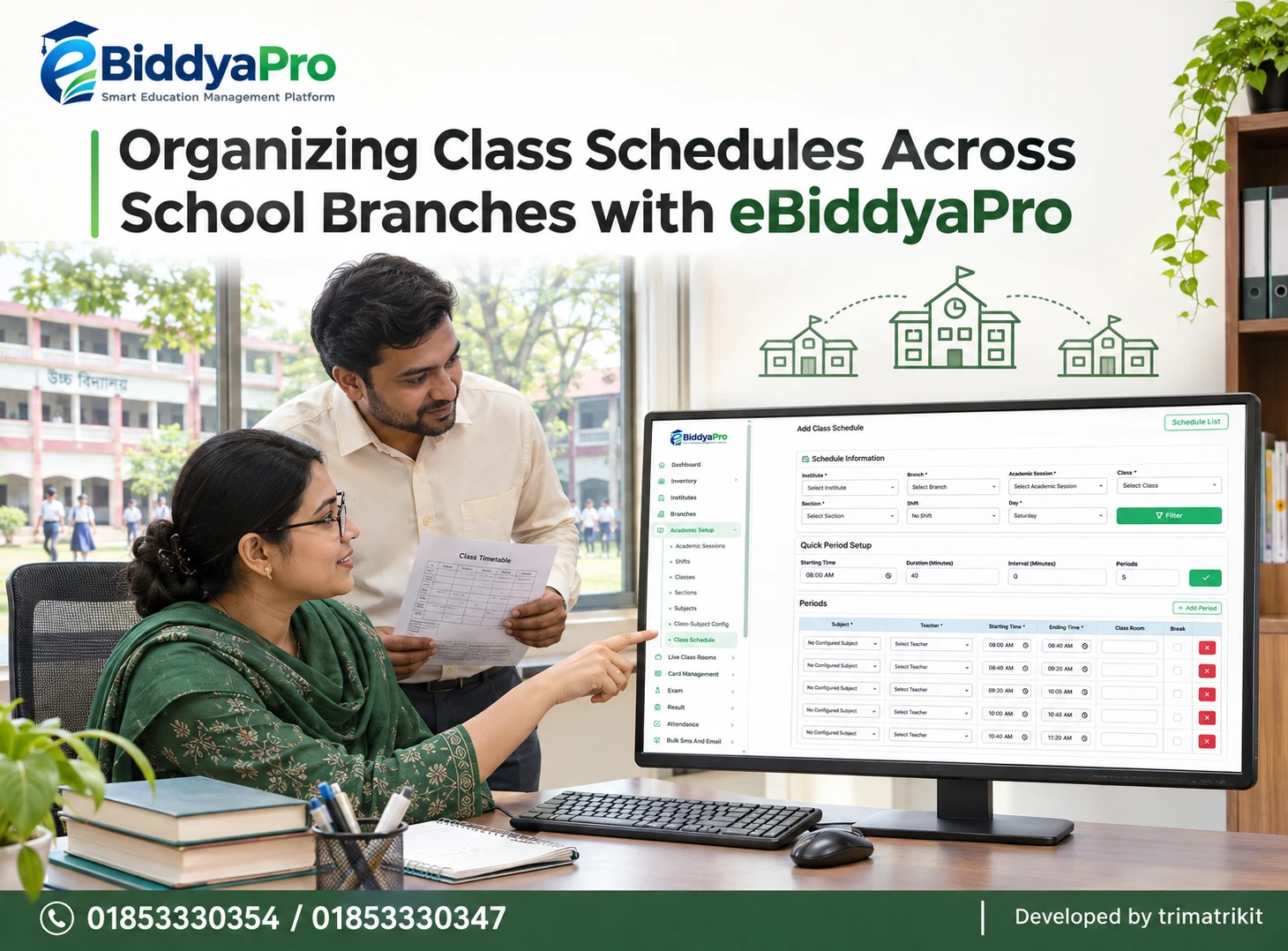
Open Academic Setup → Sections using an authorized account. Review the existing section records and check whether the intended group is already represented. If a new record is needed, open the creation control and enter the approved section name. Complete the context fields shown in your version. If class, institute, or shift is selected elsewhere in the workflow, verify that relationship there instead of assuming the name alone establishes it.
After saving, find the new section in the list. Confirm that the name is correct and that it can be identified in the relevant placement workflow. If the section exists in the setup list but does not appear during student assignment, check the institute, session, class, shift, and account permissions before creating a second copy. Where a status control is available, test whether it affects selection and historical visibility. A status label by itself does not explain how every module uses the record.
Use the same test for an existing section you intend to reuse. An old name may still be appropriate, but reuse should depend on how your setup keeps assignments separate by academic session. Open one prior-session record and one sample record for the new session. If staff can find each under the right period, they are less likely to combine current and historical rosters by mistake.
Assign newly admitted students to the correct section
Begin with the school’s approved admission and placement information. An applicant’s preferred section or shift is a request; it may differ from the final assignment. When the admission decision is confirmed, locate the student’s approved record and check the class and session before selecting the section. Where the workflow includes a shift or campus, confirm that it matches the placement decision.
Save one sample assignment and reopen it. Compare the saved details with the approved placement, then look for the student in the intended class and section roster. If the student is absent from the roster, check the roster filters first. For instance, the assignment may be correct while the list is filtered to the previous session. If the filters are correct, inspect the student record and the section relationship. Avoid adding another student profile to solve a visibility problem.
If your institution needs to assign a large cohort, verify whether bulk assignment is available and how it handles existing placements. Use a small approved sample first. Check that the operation updates only the intended students and that repeated submissions do not create duplicate placements. If you assign students individually, divide the approved roster into clearly identified groups so two operators do not process the same names at the same time.
Handle promotion and section changes without losing history
A continuing student entering a new academic year usually needs a new placement decision while retaining the same identity. A student who was in Class Six Section B may be promoted to Class Seven Section A. Changing the section alone would miss the change in grade and session. Creating a duplicate student profile would make it harder to trace the student’s earlier attendance or results. Follow the institution’s approved promotion or placement process and verify how your eBiddyaPro setup represents the new assignment.
A mid-session section transfer needs a different review. Suppose a student moves from Section A to Section B after six weeks. The receiving teacher needs the student on the current roster, while the office may still need attendance recorded before the move. Record the approved transfer date through the supported process and check the relevant views afterward. If your setup does not provide effective dates or a transfer history, agree on a separate authorized record of the change before relying on the system for historical questions.
The same principle applies when a section is renamed, merged, or retired. Before editing a record used by a previous cohort, check whether the change affects earlier reports or references. Use a test record or ask the administrator to demonstrate the result first. Preserving old context is particularly important when teachers are finishing results while the admissions team is preparing the next intake.
Verify attendance, timetables, and reports after assignment
A saved assignment is only useful if staff can find it where they work. Have a teacher open the appropriate attendance view and confirm that the sample student appears with the intended group. Ask the academic coordinator to find the corresponding timetable or verify the section’s schedule through the institution’s approved process. If examination or other reports use section filters, open a relevant sample and see whether the result matches the expected cohort.
Use the accounts that will perform the real work. A workspace administrator might see every institute and class, while a teacher’s account may have narrower access. A test conducted only by an administrator can miss a permissions or selection issue. If the wrong roster appears, note the account, institute, session, class, shift, and section used to reproduce it. This gives the administrator a concrete problem to investigate.
One useful launch test is to ask two people to find the same group independently. The admissions officer starts from the student’s placement; the teacher starts from the roster. If they arrive at the same group and can distinguish it from another section with the same short name, the setup is ready for broader use. If they cannot, resolve the mismatch before publishing lists or assigning the rest of the cohort.
Frequently asked questions
1. What is Section Management in eBiddyaPro?
Section Management organizes groups within a class, such as Class Six Section A and Section B. Student assignment uses those groups to identify where individual students belong in the relevant academic context.
2. Where do I find the section setup?
Start with Academic Setup → Sections. If the menu is missing, check the workspace and ask the administrator to verify whether the relevant module and access are available to your account.
3. Should I create the class or the section first?
Confirm the class record first so you know which grade the section is intended to serve. Then check where your setup defines the relationship between the class and section.
4. Is a section the same as a shift?
No. A section is a group within a class, while a shift describes the time-based arrangement for teaching. A school may use the same section label in two shifts, provided staff can distinguish the groups.
5. Can two classes use the same section name?
Schools commonly use labels such as A and B at several grade levels. Test whether your workspace accepts the naming pattern and whether the class is visible when users choose a section.
6. Can I use Bangla section names such as ক and খ?
Test whether your form accepts Bangla and whether the labels display clearly in the views and reports you use. Choose one naming convention so staff do not create separate records for equivalent Bangla and English labels.
7. Does creating a section automatically assign students?
Treat creation and placement as separate tasks. After creating a section, verify how students are assigned in your setup and confirm that the intended students appear on the roster.
8. Should applicants be assigned a section before admission is confirmed?
Follow the institution’s process. If a section preference is collected on application, keep it distinguishable from the approved placement. A preference should not be treated as a final roster assignment.
9. Does a section record enforce classroom capacity?
Do not infer capacity controls from the existence of a section. Confirm the approved capacity separately and test whether your setup warns about or prevents assignments beyond it.
10. Why is a section missing from the assignment form?
Check the selected institute, session, class, and shift where relevant. Then review the section’s status and your account permissions. Avoid creating a duplicate while investigating an unavailable selection.
11. Can staff assign students in bulk?
Verify the bulk options available in your package and version. Test a small sample before processing a full cohort, especially where some students already have placements.
12. Do I need to recreate sections for every academic session?
Check whether existing sections can be reused while keeping each session’s student assignments distinct. Confirm that an earlier roster remains accessible before relying on reuse for a new intake.
13. What should I do if a student is assigned to the wrong section?
Confirm the approved placement, correct the existing record through the authorized workflow, and verify the result in both rosters. The student should appear in the intended group without a duplicate profile.
14. Does a section transfer require a new student ID?
A section transfer alone is not a reason to create another identity. Keep the existing student record and verify how your setup preserves historical information before and after the transfer.
15. Can I rename a section that already has students?
Check the available edit controls and the effect on existing records and reports before renaming it. If the issue is a spelling correction, tell staff which name they should use afterward.
16. Can I delete an unused section?
First establish whether current or historical records reference it. If the section has been used, ask the administrator about preserving it or taking it out of current use before considering deletion.
17. Does a section assignment automatically update attendance?
Check the attendance view with a sample student. Confirm which session, date, and section filters it uses, particularly after a transfer or promotion.
18. Is setting up a section enough to publish a timetable?
Section setup identifies the group. A timetable still needs the institution’s approved subjects, periods, teachers, and rooms. Verify how the timetable is linked and viewed in your setup.
19. How should multiple campuses distinguish sections?
Include the relevant institute or campus in review and handover information. Verify how your workspace associates sections and student placements with each location before staff use identical labels across campuses.
20. Does eBiddyaPro replace Bangladesh’s official admission process?
No. eBiddyaPro section setup and assignment organize internal records. Follow the instructions of the relevant authority where an official admission or registration process applies.
21. What should I ask to see in an eBiddyaPro demo?
Ask to create or identify two sections within one class, assign a sample student, and verify the student on the correct roster. Then demonstrate a section transfer and reopen a prior-session record to check that its original context remains available.
Recent Post