EAS Security
 EAS Gate
 Security Tag
 EAS Accessories
 Gadgets
 Convex Mirror
 Road Barrier
 Burglar Alarm
 Calling System
Planning Branch Transfers for Multiple Employees with eHajira
November 13, 2026
Planning Branch Transfers for Multiple Employees with eHajira
Moving employees between branches involves more than changing a location in a staff list. The receiving branch needs to know who is joining, the existing branch must arrange handover, and HR needs a reliable record of what changed. When several employees move together, even a small selection mistake can affect multiple teams.
For businesses in Bangladesh, branch transfers may support a new office opening, changes in service demand, temporary staffing requirements, or a reorganization. Whatever the reason, the process should connect the management decision with accurate employee records and practical arrangements at both locations.
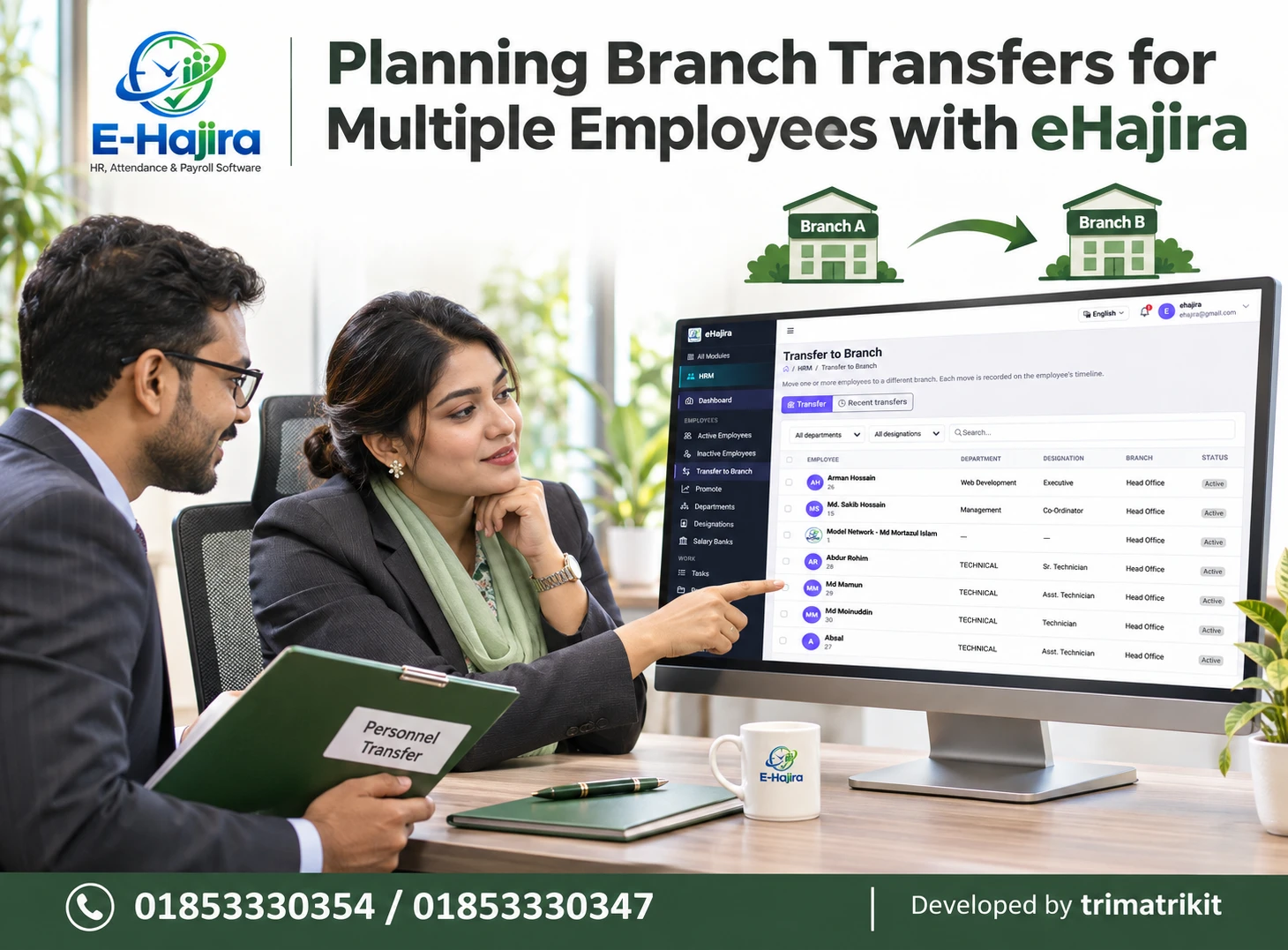
eHajira’s Transfer to Branch screen provides a dedicated place for this activity. The supplied interface states that users can move one or more employees to a different branch and that each move is recorded on the employee’s timeline. It also displays department and designation filters, a search field, employee selection boxes, current branch information, and a Recent transfers tab.
This guide explains how HR teams can plan multiple employee transfers with eHajira, review the right information, and coordinate the related work across Bangladesh business locations.
Why Multiple Employee Transfers Need Careful Planning
A transfer involving one employee can often be coordinated through a few direct conversations. Moving several employees introduces more dependencies. Different people may have different handover responsibilities, reporting arrangements, attendance requirements, and joining instructions.
The main risk is treating a group as though every member has the same circumstances. Two employees moving to the same branch may start on different days. One may need a new roster, while another continues under an existing arrangement. A technician may also need equipment that an administrative employee does not require.
Planning should therefore establish which conditions are shared and which must be handled individually. eHajira can provide a structured record of the branch movement, while HR coordinates the operational details behind that change.
The Bangladesh Business Context
A Bangladesh business may operate a head office alongside sales outlets, service centers, warehouses, or regional offices. Staffing requirements can differ significantly between these locations.
For example, a service company might move technicians to a growing regional operation. A distributor might assign experienced employees to a new sales branch. A business consolidating offices may need to reorganize several teams at once.
These are practical planning scenarios, rather than claims about how frequently transfers occur in the Bangladesh market. Each organization should assess its own staffing needs, employment arrangements, and applicable obligations before proceeding.
The supplier’s eHajira information describes support for multiple branches within one workspace and branch-level employee management. This makes branch transfers relevant to organizations seeking a centralized view of employees working across locations.
What the Transfer to Branch Screen Shows
The supplied eHajira screen contains Transfer and Recent transfers tabs. The active Transfer tab displays employees in a table with department, designation, branch, and status information.
Each employee row has a selection box. A selection box also appears in the table header. Above the table, users can filter by department and designation or enter a search.
These controls provide a useful starting point for identifying the intended employees. However, the screenshot does not show the destination selection, confirmation form, effective-date options, or final submission controls. Their precise behavior should be verified in the working application.
Understanding this distinction prevents administrators from assuming that selecting names has already completed a transfer.
Establish the Business Reason Before Selecting Employees
The employee selection should follow an approved staffing decision. HR should understand why the receiving branch needs additional people and what the sending branch can reasonably release.
A new branch may need a balanced combination of technical, administrative, and supervisory skills. Moving several employees with the same designation may not meet that requirement. Conversely, transferring experienced staff without arranging replacement coverage could create problems at the original location.
The business reason should therefore connect the required work with suitable employees. When the decision is clear, eHajira’s department and designation information becomes more useful for locating the relevant people.
Confirm Employee Identity Before Making Changes
Employee names are important, but names alone may not be sufficient to identify the right person. Similar names, abbreviated spellings, and inconsistent records can create confusion.
The supplied screen shows a name and a small number beneath it, alongside department, designation, and branch information. Administrators should use the institution’s approved employee identifier together with these details when checking identity.
The displayed number should not automatically be treated as a biometric device identifier. Internal employee identity and device enrollment identity can be different. Before transferring a group, HR should confirm that every selected record belongs to the intended employee.
Use Department Filters to Narrow the List
The department filter can help HR review employees within a particular operational area. This is useful when the transfer request concerns a defined team.
For example, a regional service expansion may require employees from the technical department. Filtering the list can reduce the amount of unrelated information the administrator must review.
However, department membership does not establish transfer suitability. HR must still consider skills, current responsibilities, availability, and the approved staffing plan.
If an expected employee does not appear, administrators should check whether another filter is active or whether the employee’s department record needs correction. Creating another employee profile would not resolve an incorrect filter.
Review Designations Against Actual Responsibilities
The designation filter offers another way to narrow the employee list. It can help identify employees with a particular organizational title.
A designation should still be interpreted in context. Employees with identical titles may have different experience or responsibilities. Someone listed as a technician may specialize in one service area, while another employee with the same title handles different equipment.
Before making a group transfer, the sending and receiving managers should agree on what each employee will do. eHajira’s designation information supports identification, but the transfer decision should also reflect the practical requirements of the destination branch.
Verify the Current Branch
The Branch column identifies the employee’s displayed branch before the transfer. In the supplied example, the visible employees are associated with Head Office.
This information helps HR compare the current record with the approved movement request. If a person is already assigned to another location, the discrepancy should be resolved before proceeding.
The displayed branch should not automatically be treated as proof of the employee’s physical location at that moment. A person may be visiting another office, working in the field, or temporarily supporting a project. Organizational assignment and real-time whereabouts are separate matters.
Handle Group Selection Deliberately
The page states that one or more employees can be moved. Row selection boxes make it possible to identify the intended records for the operation.
Administrators should review the selected group against the approved names before confirming any change. They should also understand what happens when filters, searches, or pages change.
The header selection box should not be assumed to select every matching employee across the entire system. Its scope could depend on the application’s implementation. Before using it for a large transfer, test whether it selects only visible rows or a wider result set.
Confirm the Destination Branch
The destination should be an existing, correctly identified branch in the intended organization. Similar branch names can create avoidable mistakes.
For example, “Uttara Office” and “Uttara Service Center” may refer to different locations. HR should confirm the exact destination with the receiving manager before submitting the transfer.
Because the destination form is not visible in the screenshot, administrators should verify whether one selected group receives a single destination or whether other arrangements are possible. Employees moving to different branches should be processed in a way that keeps each destination unambiguous.
Coordinate Effective Dates and Reporting Instructions
The date a change is entered into software may differ from the date an employee is expected to begin work at the new location.
This distinction matters when management approves a future move or when employees transfer in stages. HR should establish the reporting date and communicate it clearly to both branches.
The supplied screen does not show whether eHajira supports future-dated transfers or how a recorded transfer date is interpreted. Confirm that behavior before entering changes early. If the system applies the branch change immediately, the institution must account for that when planning its process.
Keep Branch Transfers Separate from Promotions
A branch transfer changes an employee’s organizational location. A promotion changes their position or level. The two can happen together, but one does not necessarily imply the other.
The eHajira sidebar displays Transfer to Branch and Promote as separate areas. This supports treating the activities as distinct administrative events.
If an employee is moving and receiving a new designation, HR should follow the appropriate process for both changes. A branch transfer should not be used as a substitute for recording an approved promotion, and a new location should not automatically be interpreted as a salary increase.
Review Department and Reporting Arrangements
Employees may retain their department after moving, or their responsibilities may change. The receiving branch should understand the intended arrangement before the transfer takes effect.
An employee moving from a central technical team to a branch might continue performing technical work while reporting to a different manager. Another employee might take on a broader administrative role.
The screenshot does not establish that department, designation, or reporting manager fields change automatically during a transfer. HR should review these matters separately and update them through the appropriate authorized process where necessary.
Coordinate Attendance Devices and Employee Identification
A transferred employee must be able to record attendance using the approved method at the destination.
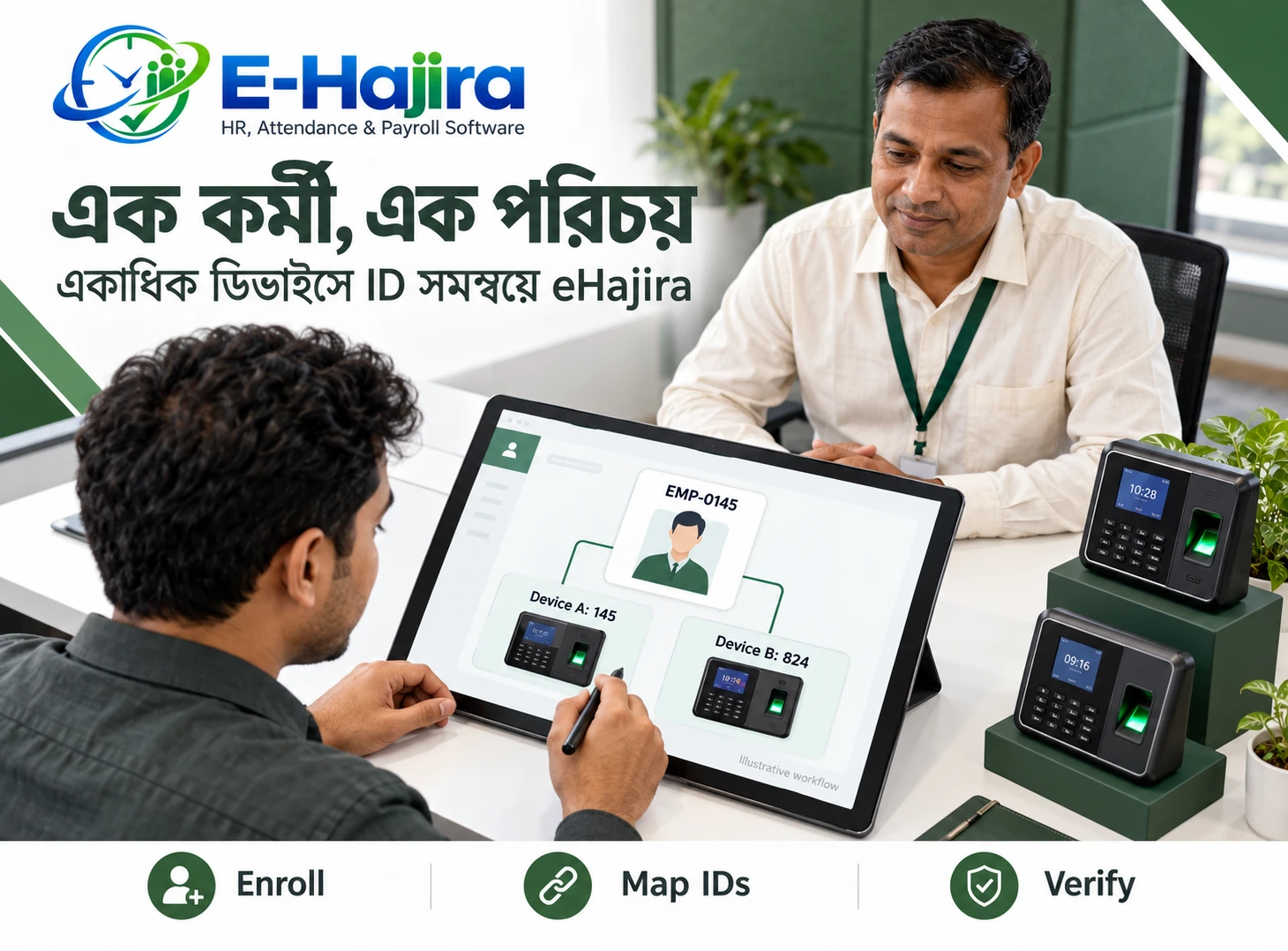
Where biometric devices are involved, HR and the technical team should verify employee identification, device authorization, and the method used to associate punches with the correct person. An organizational branch change alone should not be treated as confirmation that fingerprint or facial templates have reached another device.
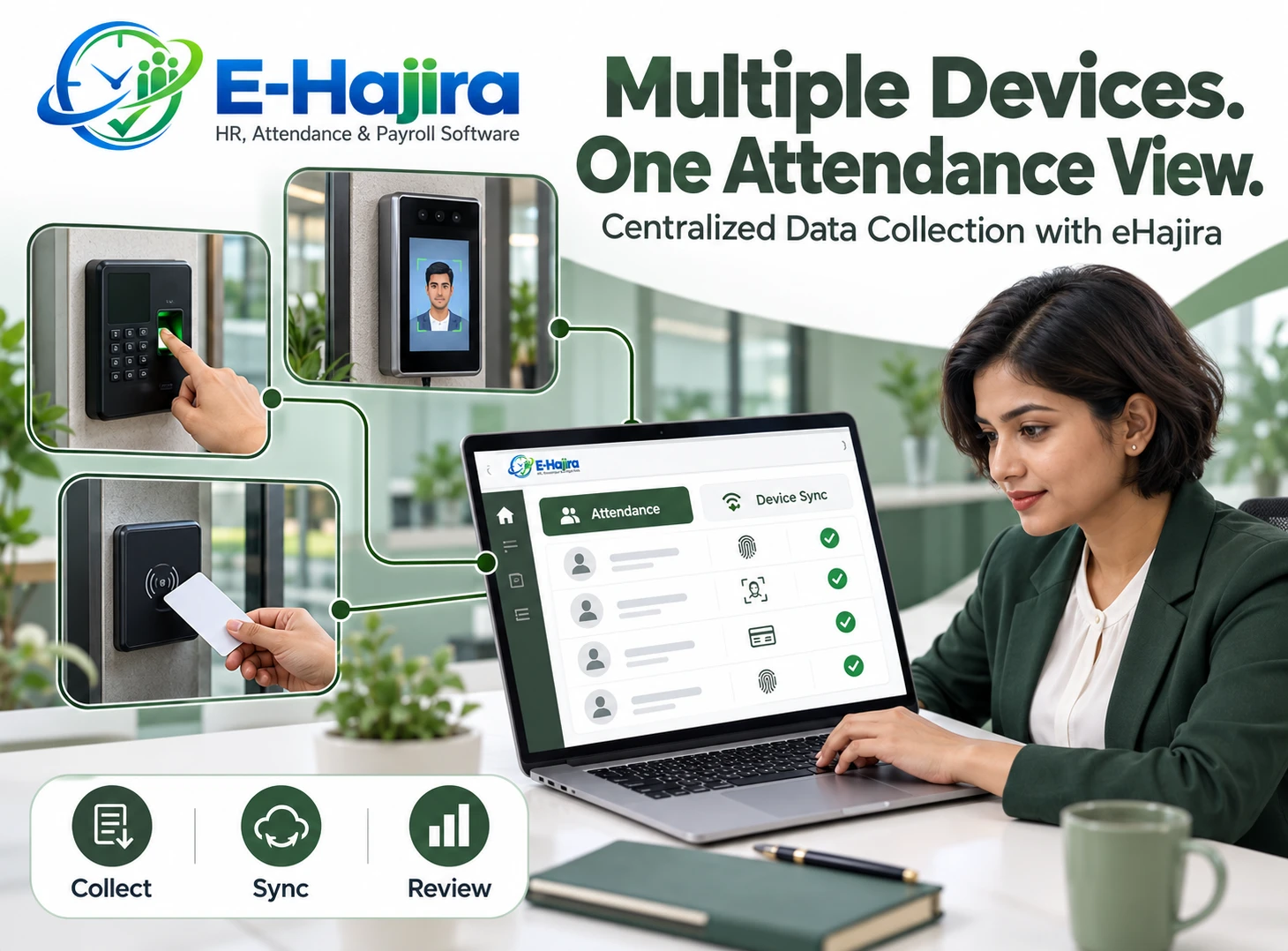
The developer’s HR software guide explicitly distinguishes attendance-log collection, employee transfer, and biometric-template transfer as separate capabilities. That distinction is especially important when planning movement between offices using different attendance devices.
Review Shifts, Rosters, and Attendance Rules
The receiving branch may operate different hours from the sending branch. An employee can have the correct branch assignment while still following an outdated shift.
HR should coordinate with the relevant manager to establish the expected roster and attendance arrangements. This includes understanding the employee’s first working day at the destination and how any transition period will be recorded.
Do not assume that a transfer automatically replaces shift assignments, geofences, weekend rules, or attendance policies. Review the applicable configurations in eHajira and verify the resulting records after the employee begins work at the new location.
Check Payroll and Leave Dependencies
A branch move can have administrative implications for payroll and leave, but it should not be assumed to change every related setting automatically.
Some organizations use location-related allowances or branch-based reporting. Others maintain the same salary structure across locations. HR and finance should agree on any approved changes and their timing.
Likewise, a transfer should not be treated as resetting service history or leave balances. The institution should verify how existing records remain connected to the employee and how reports attribute activity around the transfer date. Any salary or entitlement decision must follow the applicable arrangements.
Arrange Handover and Receiving-Branch Readiness
A software record cannot replace operational handover. The sending branch may need documents, equipment, customer matters, or unfinished work reassigned before the employee leaves.
The receiving branch should also prepare suitable access, work tools, supervision, and reporting instructions. These arrangements may differ across members of a transferred group.
A clear communication process helps avoid a situation where the employee’s branch changes in eHajira but the receiving manager is not ready. HR should identify who confirms handover completion and who acknowledges that the destination can receive the employee.
Use Transfer History for Verification
The page description states that each move is recorded on the employee’s timeline, and the interface includes a Recent transfers tab.
These features provide places to investigate recorded movement after a transfer. Administrators should inspect an actual completed example to understand which details are available, such as the recorded branches, dates, or responsible user.
A transfer record should be interpreted according to what it actually contains. It should not automatically be treated as evidence that every handover task was completed or that the employee physically reported to the destination. Those facts may require separate confirmation.
Restrict Transfer Permissions Appropriately
Branch changes can affect how employee information is organized and accessed. Transfer authority should therefore match the user’s actual responsibilities.
OWASP’s authorization guidance recommends limiting permissions to what is needed and reviewing access over time. Applied to HR administration, this means deciding who may view employees, initiate branch changes, and inspect related records. This is a general security principle, not proof of a particular eHajira configuration.
Organizations should test their configured permissions using representative accounts. A branch manager’s ability to see local employees does not necessarily mean they should be allowed to move employees across the organization.
A Practical Bangladesh Business Example
Consider a hypothetical service company opening a new branch in Chattogram. Management approves the movement of two technicians and an administrative coordinator from its Dhaka office.
HR first confirms the employees’ identities and existing assignments. The receiving manager agrees on duties and reporting arrangements. The sending manager arranges handover, while the attendance team checks how the employees will record punches at the new office.
The eHajira transfer is then processed according to the verified workflow. HR reviews the resulting branch assignments and transfer records. This example illustrates coordination; it does not claim a measured customer result or an automatic end-to-end process.
Verify the Outcome and Improve the Process
After processing a group, HR should reconcile the outcome with the intended employee list. Each person should appear under the correct destination, and the relevant history should be checked.
If a submission produces an error or an uncertain result, inspect the records before repeating it. Do not assume that a group operation either completed for everyone or changed nothing. The application’s behavior needs to be understood.
Over time, the organization can measure correction frequency, preparation time, and first-day attendance problems. Those observations can identify improvements without making unsupported claims about guaranteed time savings.
Frequently Asked Questions
1. What is Transfer to Branch in eHajira?
It is the dedicated area for moving employees to another branch. The supplied page states that one or more employees can be moved and that each move is recorded on the employee’s timeline.
2. Can several employees be transferred together?
The page description supports moving one or more employees, and selection boxes are visible. HR should confirm the full group workflow, destination options, and confirmation behavior in the application before processing a large batch.
3. Why should HR review the business reason first?
The business reason determines which skills and responsibilities the receiving branch needs. It also helps the sending branch arrange coverage. Employee selection should follow that decision rather than being based only on convenient filtering.
4. How can department filters help?
They narrow the displayed employees to a relevant organizational area. This makes review easier, but it does not determine suitability for transfer. HR should still compare each person with the approved staffing request.
5. Is designation enough to choose employees?
No. Employees with the same designation can have different expertise, experience, and responsibilities. The receiving manager should confirm that each selected employee is suitable for the required work.
6. Does the Branch column show live location?
No. It shows the displayed branch assignment. It should not be interpreted as a real-time location signal. Field work, temporary visits, and organizational assignments need to be distinguished.
7. What does the header selection box select?
The screenshot does not establish its exact scope. Test whether it selects visible rows, the current page, or a wider result set. Always review the selected group before confirming a transfer.
8. Can employees be sent to different branches in one operation?
That is not shown in the supplied interface. Verify the destination form. Where groups have different destinations, use a process that clearly separates each intended assignment and prevents accidental movement to the wrong branch.
9. Can a transfer be scheduled for a future date?
The visible screenshot does not show an effective-date field. Ask for a demonstration of future-dated behavior before relying on it. Keep reporting instructions aligned with when the system actually applies the change.
10. Does a transfer create a new employee profile?
It should be approached as a change to an existing employee’s branch assignment. Creating duplicate profiles can fragment records. Confirm that the correct existing identity is retained when reviewing the completed transfer.
11. Is a branch transfer the same as a promotion?
No. Branch assignment and organizational position are different matters. The sidebar contains separate Transfer to Branch and Promote areas. If both changes are approved, HR should coordinate and record them appropriately.
12. Will the department automatically change?
The screenshot does not establish this. Review the transfer form and resulting profile. If a department change is required, follow the appropriate process rather than assuming that the new branch determines the department.
13. Does the transfer automatically change salary?
No automatic salary behavior is demonstrated. HR and finance should review approved salary or allowance changes separately. A location change should not be treated as authorization for an unrelated compensation adjustment.
14. Will leave balances restart after transfer?
A transfer should not be assumed to reset leave balances or service history. Verify the employee’s records and applicable configuration. If balances appear different, investigate the reason before making a manual correction.
15. Will fingerprints move to the destination device?
Do not assume so. Employee transfer and biometric-template transfer are separate capabilities. The attendance team should verify device support, employee mapping, and the required enrollment or synchronization process at the receiving branch.
16. Should the employee’s shift be reviewed?
Yes. The destination may operate different hours or rosters. Confirm the intended arrangement and its timing. A correct branch assignment does not, by itself, establish that the employee has the correct shift.
17. Where can completed transfers be reviewed?
The interface includes Recent transfers, and the page states that movements appear on employee timelines. Inspect a completed record to understand the available detail and use it alongside the updated employee assignment.
18. Does a transfer record prove handover completion?
No. It records the system event described by the application. Equipment handover, work reassignment, and receiving-manager acknowledgment may require separate confirmation through the organization’s established process.
19. Can a mistaken transfer be reversed?
The screenshot does not show an undo function. Investigate the correction process before taking further action. If another transfer is required to restore the assignment, preserve an explanation rather than trying to conceal the earlier event.
20. What should HR do after a submission error?
Inspect the affected employee records and transfer history before resubmitting. The screen does not establish whether group processing is all-or-nothing. Reconciliation helps prevent repeated actions or incomplete assumptions.
21. Who should have permission to transfer employees?
Authorized users whose responsibilities require it. Viewing a branch’s employees and changing their organizational assignment are different permissions. Organizations should review configured access and test representative user accounts.
22. How should a company begin using this feature?
Start with a controlled example after confirming the workflow, permissions, and related settings. Review the resulting assignment and history. Use that experience to establish a repeatable process before transferring a larger employee group.
Coordinate Your Next Branch Transfer with eHajira
A well-managed transfer connects the staffing decision with employee identity, destination readiness, attendance arrangements, and reliable records. eHajira’s Transfer to Branch area provides a focused place to manage the branch movement, supported by employee filters and recorded history.
Prepare the group carefully, verify the destination, and review what changed after submission. Keep shifts, device arrangements, payroll decisions, and operational handover aligned with the approved move.
To discuss branch transfer management in eHajira or arrange a demonstration for your organization, contact 01853330354 / 01853330347.
Recent Post