EAS Security
 EAS Gate
 Security Tag
 EAS Accessories
 Gadgets
 Convex Mirror
 Road Barrier
 Burglar Alarm
 Calling System
Can Schools Send SMS Reminders for Unpaid Fees? What to Check in eBiddyaPro
November 09, 2026

Can Schools Send SMS Reminders for Unpaid Fees? What to Check in eBiddyaPro
A guardian receives a message saying that a school fee remains unpaid. However, they paid at the accounts counter earlier that morning. The receipt exists, but the payment had not been entered when the reminder list was prepared.
The message may have been sent successfully, yet the communication was inaccurate.
This example shows why effective school fee reminders require more than an SMS sending function. Schools need reliable balances, verified guardian numbers, appropriate timing, and a way to resolve questions before another reminder is sent.
For institutions in Bangladesh evaluating eBiddyaPro, the practical answer is conditional: schools can use an SMS reminder workflow when the required messaging capability is available and configured. They should verify the specific fee-reminder functions included in their proposed setup rather than assume that fee management automatically includes scheduled SMS reminders.
This guide explains what to check, how to prepare an accurate reminder process, and how to communicate outstanding fees professionally.
What Does the Published eBiddyaPro Information Confirm?
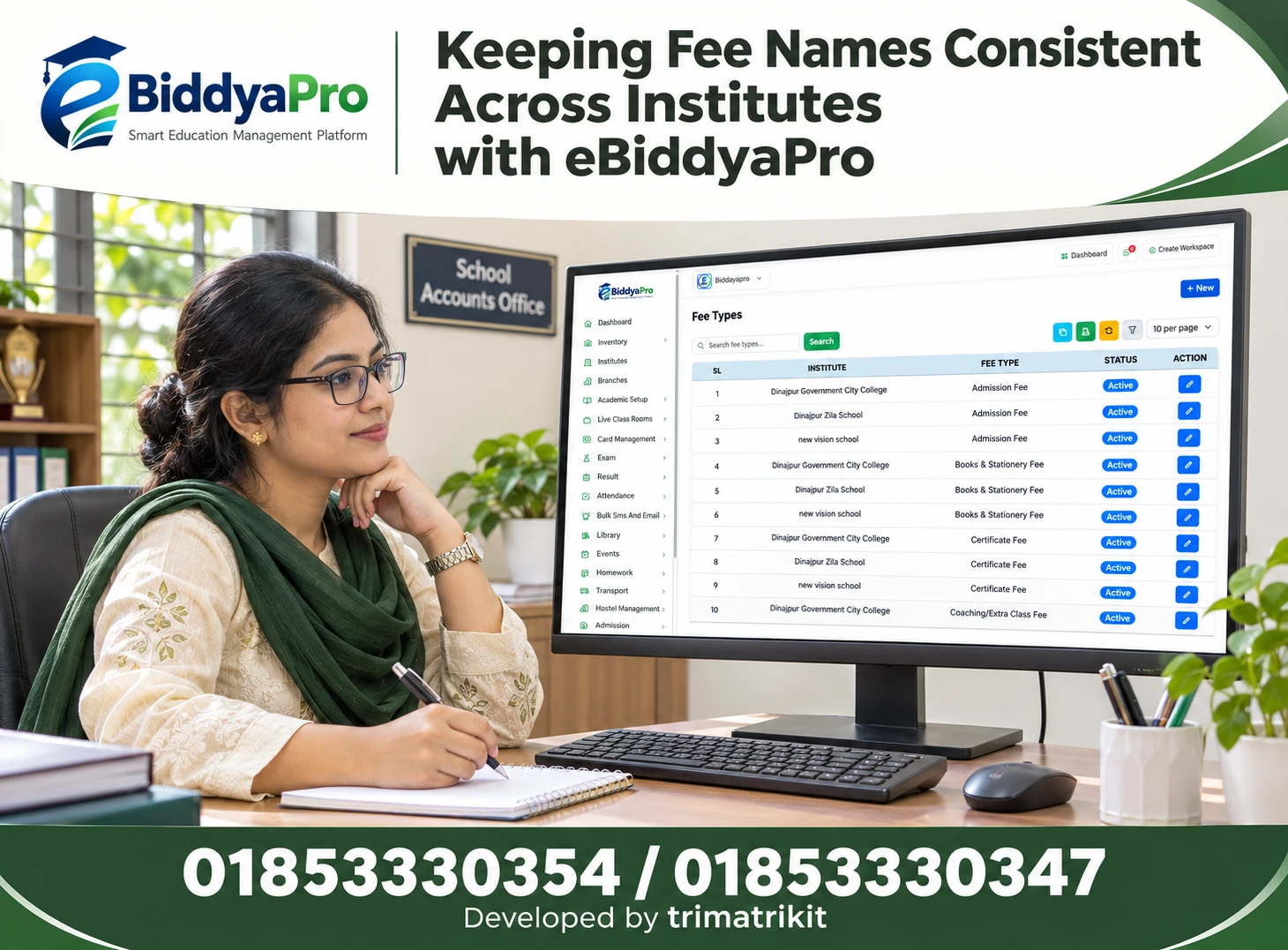
The developer presents eBiddyaPro as an education management platform covering attendance, fees, examinations, results, and centralized reports. This establishes fee administration as part of the platform’s published scope.
However, the eBiddyaPro practical guide advises institutions to confirm communication channels, message costs, and delivery reporting separately. It also distinguishes fee records from online payment collection and recommends checking guardian portals, SMS services, and mobile applications individually.
The important question is therefore not simply whether eBiddyaPro has an SMS menu. A school should demonstrate how a verified outstanding balance becomes a message to the correct guardian, including the controls needed before and after sending.
Fee Records and SMS Reminders Are Different Functions
Fee management records what a student has been charged, what has been received, and what remains outstanding.
An SMS reminder communicates selected information from those records. The school must decide which balance qualifies for a reminder, who should receive it, and what the message should say.
A general bulk SMS function may allow staff to send a notice to selected recipients. That does not necessarily mean it can calculate individual balances or automatically exclude students who have paid.
During an eBiddyaPro demonstration, test these functions separately. Understanding the distinction prevents a broad communication feature from being mistaken for a complete fee-reminder workflow.
Define What “Unpaid” Means Before Selecting Recipients
An outstanding amount is not always overdue.
A school may issue a charge before the payment deadline. A guardian may have an approved installment arrangement, a concession awaiting entry, or a disputed balance under review.
The institution should define the conditions that make a student eligible for a reminder. These conditions should reflect its approved procedures and distinguish upcoming payments from overdue amounts.
For example, a notice before the due date should use different wording from a follow-up after the deadline.
Clear definitions help accounts staff prepare an appropriate recipient list and reduce unnecessary messages to families whose payment arrangements are already understood.
Review the Balance Before Preparing a Message
Before sending reminders, accounts staff should reconcile the information used to calculate the outstanding balance.
Check whether recent payments, approved discounts, adjustments, and cancelled charges have been recorded. A balance can appear unpaid because information is incomplete rather than because the guardian has not paid.
The school should also identify which fee period the amount relates to. A total without context may be difficult for a guardian to understand.
When evaluating eBiddyaPro, use sample records containing an unpaid charge, a fully paid charge, and an adjusted charge. Confirm that staff can understand why each student appears in or is excluded from the reminder selection.
Choose a Clear Payment Cutoff
The timing of payment entry matters.
A reminder list prepared at the start of the day may become outdated as payments are received. If the school sends the messages later without rechecking, some guardians could receive an incorrect notice.
Establish a clear cutoff and a final review immediately before dispatch. The process should explain how payments received after the initial list was created are handled.
Where scheduled messages are proposed, demonstrate whether balances are checked again at sending time or whether the system uses an earlier saved list.
That difference can materially affect the accuracy of an automated reminder process.
Verify the Correct Guardian and Mobile Number
A student profile may contain several telephone numbers. They may belong to a father, mother, emergency contact, or another authorized guardian.
The person responsible for fee communication is not necessarily the emergency contact.
Schools should establish which number is approved for financial reminders and how changes are verified. Avoid replacing a number solely on the basis of an unverified verbal request.
In Bangladesh deployments, test the number formats accepted by the proposed SMS connection, including how local and country-code formats are handled.
A technically successful message sent to an outdated or inappropriate number is still a communication failure.
Handle Siblings and Shared Numbers Carefully
Several students may share one guardian’s mobile number.
Automatically removing duplicate numbers could suppress a legitimate reminder for one child. Conversely, sending several separate messages may confuse the family or increase costs unnecessarily.
The school should decide whether reminders are student-specific or consolidated by guardian. If consolidated messages are required, verify that the proposed configuration can associate each amount with the correct child.
If that capability is unavailable, a clearly identified student-specific message may be easier to manage.
The important requirement is that duplicate handling should follow the school’s communication needs rather than an unexplained technical default.
Account for Partial Payments and Installments
A guardian who has paid part of a charge should receive a reminder reflecting the remaining amount.
The original full charge should not continue appearing as the balance due. Likewise, an approved installment schedule may require a reminder for the current installment rather than the entire unpaid total.
Demonstrate these situations in eBiddyaPro using representative records.
Staff should understand whether a reminder uses a total student balance, a selected invoice, a fee category, or another calculation. Without that clarity, the amount in the message may be technically drawn from the system but unsuitable for the intended conversation.
Use Respectful and Specific Message Wording
A professional fee reminder should help the guardian understand the issue and respond.
Identify the school, the relevant student, the fee period, and the amount being discussed. Include an appropriate contact route for payment questions or discrepancies.
Avoid language that shames the learner or makes unsupported accusations about the family.
For example, “Our records show an outstanding balance” leaves room for verification. “You have ignored payment” assumes an intention that the record cannot establish.
The school should approve message templates before use and ensure that staff do not casually introduce threats or consequences that have not been authorized.
An Illustrative Fee Reminder Template
A school could adapt the following example to its approved procedures:
“Dear Guardian, our records show BDT 1,200 outstanding for [Student Name/ID], [Fee Period], as of [Date/Time]. Please contact [School Accounts Number] to arrange payment or report a discrepancy. Thank you, [School Name].”
The amount is illustrative and does not represent an eBiddyaPro calculation.
Before using a template, confirm that every variable is filled correctly. A missing name, outdated amount, or incorrect accounts number can undermine the message.
Test the final rendered text rather than reviewing only the template with placeholders.
Test Bangla and English Messages
Bangladesh schools may need Bangla, English, or both, depending on their guardian community.
The message should be understandable to the recipient. A technically correct English notice may still generate questions if the family usually communicates in Bangla.
Test the proposed SMS service with the actual wording, student names, amounts, and punctuation the school intends to use.
Ask the provider to explain how language, character encoding, and message length affect segment counts and charges. Obtain a cost preview or documented explanation for the chosen templates rather than assuming every message will have the same sending cost.
Confirm the Sender Identity
Guardians need to recognize that the communication comes from the school.
Ask which sender identity the SMS service will use and what setup is required. Confirm whether the displayed sender can receive replies or whether guardians must use a separate accounts contact.
A recognizable sender does not eliminate the need for clear message content. The school name and a verified contact route should still be understandable.
For any payment instructions, use only institution-approved details. A fee reminder should not direct families to an unverified personal number or an unfamiliar payment destination.
Distinguish Manual, Bulk and Scheduled Sending
These are different workflows.
Manual sending may involve selecting one student and reviewing a message before dispatch. Bulk sending may communicate with a reviewed group. Scheduled sending may trigger messages at a future time.
A school should confirm which options are available in its proposed eBiddyaPro configuration.
For automation, demonstrate what happens when the balance changes, a guardian number is updated, or the schedule is cancelled before dispatch.
For bulk sending, confirm how staff preview recipients and individual amounts. The existence of one sending method should not be treated as evidence that the others are included.
Establish Approval and Access Responsibilities
Not every employee who can view student information needs permission to send financial reminders.
Accounts staff may prepare the balances, while a designated reviewer approves the recipient group and message. Smaller institutions may combine these responsibilities but should still define accountability.
Check the permissions available in the selected eBiddyaPro setup. Confirm who can send, edit templates, change guardian numbers, or export financial information.
If a required approval control is unavailable, determine whether a documented administrative review can meet the school’s needs.
The aim is a manageable process with clear ownership, not unnecessary complexity.
Understand Message Costs Before Committing
Software subscription charges and SMS charges may be separate.
Request a written explanation of messaging rates, segment calculation, balance requirements, failed-message treatment, and any sender setup fees. Clarify whether charges are paid to the software provider or another service.
Use the school’s expected recipient volume and tested templates to estimate expenditure.
For example, the cost of one reviewed reminder per month differs from repeated automated messages throughout the same period.
Avoid quoting a universal Bangladesh SMS rate without a current provider quotation. The relevant figure is the verified cost of the service and message format the institution will actually use.
Read Delivery Reports Correctly
A message can move through several technical stages, and providers may use different status labels.
Ask what “submitted,” “sent,” “delivered,” or “failed” means in the proposed service. Confirm whether eBiddyaPro displays those statuses or whether staff need a separate provider report.
A delivery status does not establish that the intended guardian read or understood the message.
When an important balance remains unresolved, staff may need a direct conversation. Failed messages should be investigated before repeated sending, especially if the number is invalid or belongs to someone who is no longer the appropriate contact.
Avoid Unnecessary Repeated Reminders
Repeated messages can create frustration without resolving the underlying issue.
Set an appropriate sending frequency and a process for pausing reminders when a payment query is under review. Staff should be able to recognize that a guardian has already contacted the school.
If duplicate prevention or suppression controls are required, test them specifically.
A courteous reminder process should distinguish a family that has not responded from one that has provided a receipt or requested an approved arrangement.
The objective is accurate follow-up. Message volume alone is not a useful measure of communication quality.
Keep SMS Reminders Separate from Payment Collection
Informing a guardian about a balance is different from collecting money online.
If payment links or online payment options are proposed, verify the supported integration, approved destination, receipt process, and how successful payments update the student’s account.
Do not assume that sending a link proves a payment has been made. Staff need a reliable way to reconcile the transaction.
Likewise, manually recording a payment does not necessarily mean a payment gateway was involved.
Demonstrate the complete payment example separately from the reminder example so the school understands the responsibilities and limits of both processes.
Protect Student and Family Information
A fee balance is personal information about a student’s account.
Messages should contain enough detail to identify the matter without exposing unnecessary information. Avoid including full addresses, identity document numbers, or unrelated family circumstances.
Financial reminders should go to approved contacts rather than public groups or class-wide recipient lists.
The school should also consider who can export recipient files and how those files are handled after use.
These are practical information-handling measures. Specific legal obligations require their own review; the presence of school software does not automatically settle every privacy or compliance question.
A Practical School Reminder Example
Consider a hypothetical school in Bangladesh preparing a monthly reminder.
The accounts team reviews outstanding balances and identifies students who have already paid, have approved concessions, or follow separate installment arrangements. Staff verify the selected guardian numbers and prepare the appropriate wording.
Before sending, the reviewer checks a sample of individual messages and rechecks payments received since the list was prepared.
After dispatch, staff examine available delivery information and handle guardian questions through the accounts office. Verified payments and resolved discrepancies are reflected before the next reminder cycle.
An eBiddyaPro demonstration should show which parts of this process are supported directly and which require an administrative step.
Pilot the Workflow Before School-Wide Use
Begin with test records and a small authorized recipient group.
Include a fully paid account, an overdue account, a partial payment, a concession, a shared guardian number, and a payment received shortly before sending.
Test message content, recipient selection, cost calculation, and delivery reporting.
Then review the process with accounts staff and the designated administrator. Resolve unclear behavior before sending to a full school list.
A pilot provides evidence about the proposed workflow. It is more useful than assuming that a successful test SMS proves the entire fee-reminder process is accurate.
Frequently Asked Questions
1. Can schools send SMS reminders for unpaid fees?
Yes, where an appropriate SMS service and reminder workflow are available. The school should verify recipient selection, balances, costs, and sending controls before using the process.
2. Are automated unpaid-fee reminders confirmed in every eBiddyaPro package?
No such assumption should be made. Request a demonstration of the specific reminder functions included in the proposed package and configuration.
3. Is general bulk SMS the same as a fee reminder system?
Not necessarily. Bulk SMS may send a common notice, while a fee reminder may need individual balances, payment exclusions, and account-specific information.
4. Should every outstanding balance trigger a reminder?
No. The school should distinguish amounts that are not yet due from overdue balances and consider approved installments, concessions, or unresolved account questions.
5. What should be checked immediately before sending?
Recheck recent payments, adjustments, recipient numbers, fee periods, and message content. Confirm that the selected list remains accurate at dispatch.
6. Can partial payments be reflected in messages?
That should be demonstrated. The reminder should communicate the relevant remaining amount rather than repeat an original charge that has already been partly paid.
7. What happens if a guardian has already paid?
Verify the receipt and account record promptly. Correct any discrepancy and prevent further inappropriate reminders while the issue is being resolved.
8. Which guardian number should receive the message?
Use the verified contact designated for financial communication. An emergency contact should not automatically be treated as the appropriate fee-reminder recipient.
9. How should schools handle siblings sharing a number?
Decide whether to send separate student-specific messages or a consolidated reminder. Confirm that the selected workflow preserves the correct association between each child and amount.
10. Can reminders be sent in Bangla?
Ask the provider to demonstrate Bangla text using actual templates. Confirm readability, character handling, segment counts, and applicable charges.
11. Are SMS costs included in the software subscription?
This must be confirmed in the quotation. Messaging charges, sender setup, and related service costs may be separate from the software subscription.
12. Does a delivered status mean the guardian read the message?
No. Delivery reporting describes a technical outcome according to the provider’s definitions. It does not prove that the intended person read or understood the notice.
13. Can guardians reply to the reminder?
That depends on the sending service and sender identity. If replies are unavailable, provide a verified school accounts contact.
14. Can messages be scheduled automatically?
Confirm the available scheduling capability. Test whether balances and contact details are rechecked before sending and whether scheduled reminders can be cancelled.
15. Who should approve financial reminders?
The school should designate an authorized reviewer. Accounts accuracy and message approval need clear ownership, even where one person performs both roles.
16. How often should reminders be sent?
Use a reasonable frequency approved by the institution. Avoid repeated messages while a payment or account discrepancy is already under review.
17. Can an SMS contain an online payment link?
Only use a verified, institution-approved payment route. Confirm the supported integration and demonstrate transaction reconciliation separately from message delivery.
18. Should fee reminders be sent to class groups?
Individual balances should be communicated through appropriate private channels. A general class notice should not expose named students’ financial information.
19. What should staff do with failed messages?
Check the provider’s failure information and verify the contact number. Repeated sending without investigation may waste money and leave the communication problem unresolved.
20. Can different branches send their own reminders?
Confirm branch-specific permissions, recipient selection, and sender arrangements. Staff should be able to identify which branch’s accounts information is being communicated.
21. What if a balance is disputed?
Record the issue and follow the institution’s review process. Consider pausing routine reminders until the account has been checked and the guardian informed of the outcome.
22. What is the most important demonstration requirement?
Test the complete journey from a verified student balance to the correct guardian message, then review delivery information and a payment or correction before another reminder.
Build a Reliable Fee Reminder Process with eBiddyaPro
A successful reminder begins with accurate accounts information and a verified recipient. Clear wording, appropriate timing, and responsive follow-up make the message useful to both the school and the guardian.
For Bangladesh institutions considering eBiddyaPro, request a demonstration using realistic payment situations. Confirm which communication functions are included, understand the costs, and test exceptions before school-wide use.
To discuss fee records and guardian SMS reminder requirements with the eBiddyaPro team, contact 01853330354 / 01853330347.
Recent Post