EAS Security
 EAS Gate
 Security Tag
 EAS Accessories
 Gadgets
 Convex Mirror
 Road Barrier
 Burglar Alarm
 Calling System
How eHajira Helps HR Teams Collect Attendance Data from Multiple Devices
October 30, 2026
How eHajira Helps HR Teams Collect Attendance Data from Multiple Devices
Managing employee attendance becomes more demanding when an organization operates several offices, factory floors, retail outlets, or service locations. Each location may have its own attendance device, working hours, and employee arrangements. Without a coordinated process, HR teams must collect separate files, identify missing entries, and reconcile inconsistent records before preparing attendance summaries.
For businesses in Bangladesh, these challenges can affect daily staffing decisions and monthly salary preparation. A device at the entrance records a transaction, but HR needs a reliable explanation of who attended, where they checked in, and how that record relates to their assigned schedule.
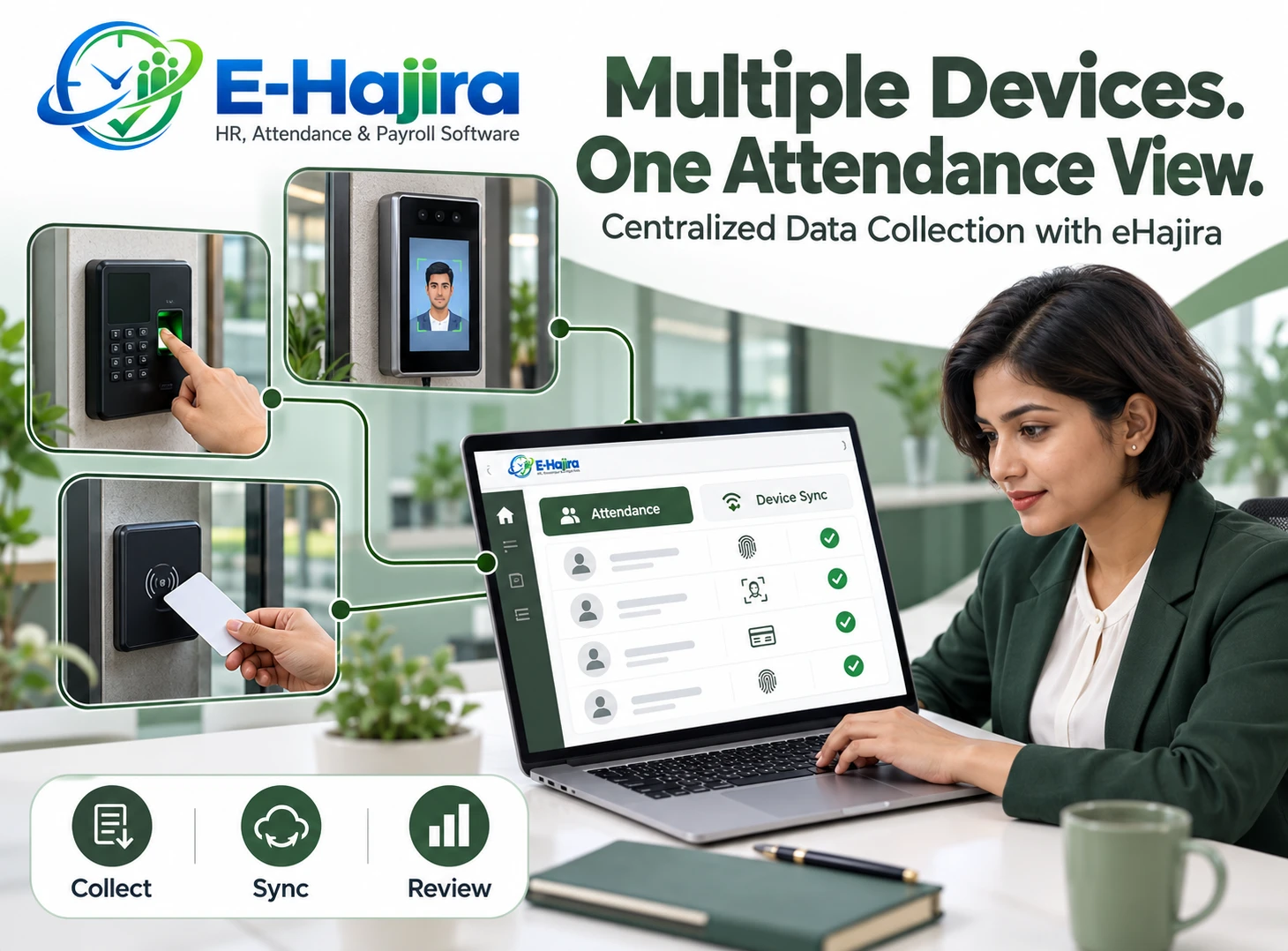
eHajira provides a foundation for connecting attendance collection with broader employee management. Its published documentation describes biometric and card-based attendance synchronization and multiple branches within a central workspace. This article explains those capabilities alongside recommended implementation practices for Bangladeshi organizations.
Understanding Attendance Collection Across Multiple Devices
Multiple-device attendance collection means bringing transactions from different attendance terminals into a shared system. An employee might check in at the head office and check out at an authorized branch after completing an assignment. Another employee may use a terminal installed near a particular production floor.
The objective is to associate these transactions with the correct employee while retaining enough context to interpret them properly. Collecting a timestamp alone does not establish whether someone arrived late, completed a shift, or worked overtime.
A useful workflow connects device transactions with employee identities, branch arrangements, schedules, and approved exceptions. HR can then review attendance consistently rather than treating each terminal as a separate reporting system.
Why This Matters for Businesses in Bangladesh
Consider a Bangladeshi trading company with a Dhaka head office, a Gazipur warehouse, and a Chattogram sales branch. If each location sends a separate spreadsheet, HR must reconcile different formats and investigate gaps before producing a consolidated report.
A similar challenge can arise in manufacturing, where employees enter through different gates or work across several floors. eHajira’s published manufacturing package includes production line and floor-wise attendance grouping, showing how attendance information can be organized around operational structures.
These examples illustrate practical applications rather than measured customer outcomes. The business benefit depends on implementation quality, reliable connectivity, and clear responsibility for resolving exceptions.
How eHajira Organizes the Collection Process
eHajira’s documentation identifies Devices, Device Sync, Sync Status, and Sync Logs as parts of its attendance workflow. These functions address related needs: registering terminals, collecting transactions, identifying synchronization problems, and reviewing synchronization history.
The documentation also distinguishes raw punches from processed attendance information. This distinction matters because a recorded transaction is evidence that must be interpreted against the employee’s work arrangements.
For HR teams, the recommended process is to establish accurate employee records, register approved devices, verify sample transactions, and then review the resulting attendance calculations. This creates a controlled route from physical check-in to usable information.
Confirming Device Compatibility Before Installation
Device compatibility should be established before purchasing additional terminals or planning a company-wide rollout. The supplier’s Corporate Basic specification names ZKTeco F22 and other compatible biometric or RFID devices. It does not establish universal support for every terminal from every manufacturer.
Organizations should provide the implementation team with exact model names, firmware details where available, and existing connection arrangements. A practical demonstration should show an actual transaction reaching the intended employee record.
Confirm the required communication method and any additional integration components during this demonstration. Hardware that performs recognition successfully still needs an appropriate connection to the attendance platform.
Creating Consistent Employee Identities
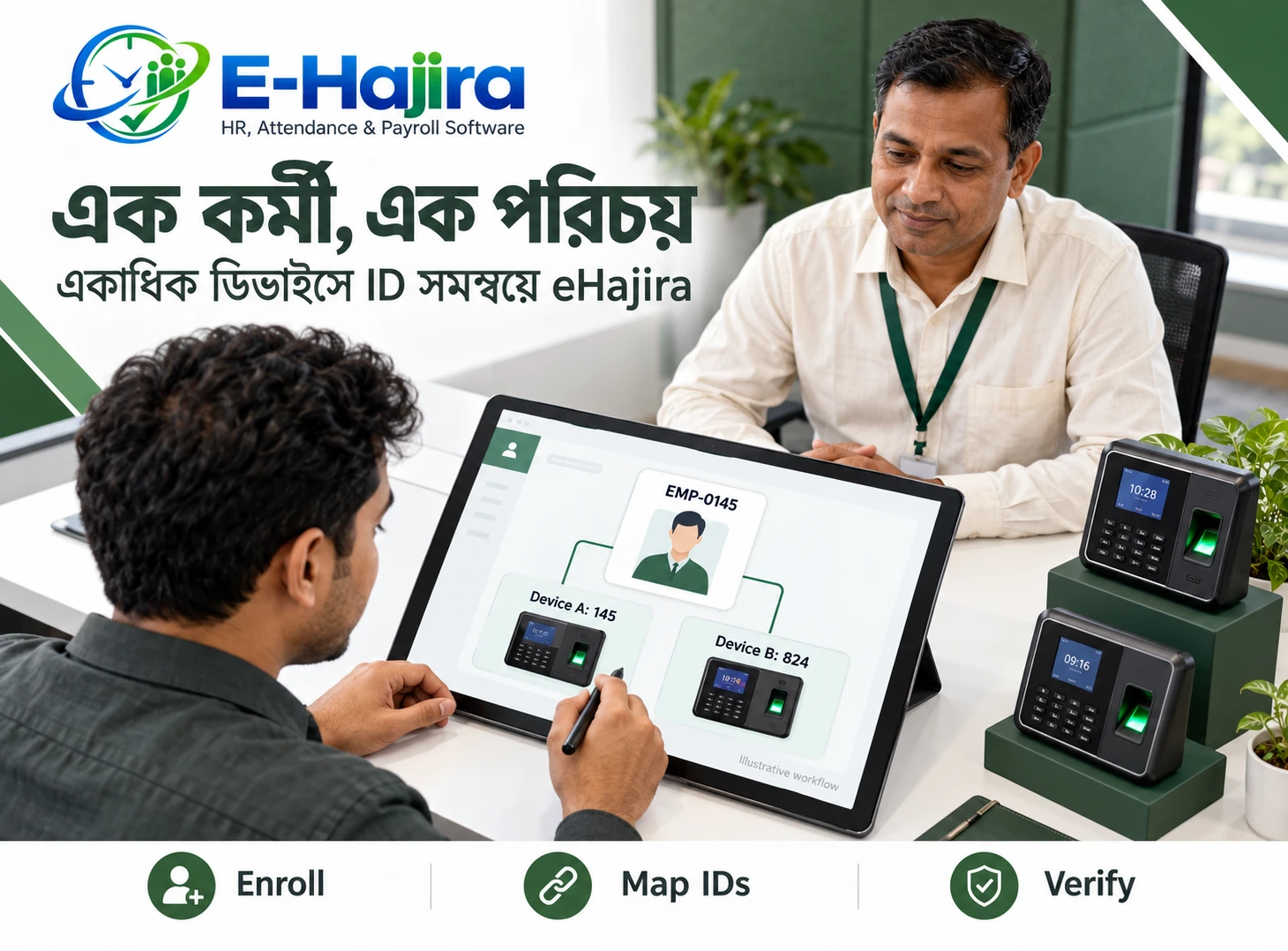
Accurate employee mapping is essential when several devices contribute records. If employee number 145 identifies different people on two terminals, combining those transactions without resolving the conflict could produce misleading attendance information.
Before implementation, HR should reconcile device user numbers with the organization’s employee register. Names alone are insufficient because employees can share names, use abbreviations, or have inconsistent spellings across older systems.
A recommended master record should connect each employee with a stable identifier and the relevant organizational information. Transfers, replacement cards, and re-enrollment should follow a documented process so that new transactions continue to reach the correct person.
Registering Devices with Clear Location Information
Each terminal should have an understandable business identity. A label such as “Gazipur Warehouse Main Entrance” gives HR and IT more useful context than an unexplained serial number.
Device records should be supported by an operational register containing the installation location, responsible contact, and intended purpose. This register can help teams investigate whether a problem affects one entrance or an entire branch.
Clear naming becomes particularly valuable when employees move between locations. HR should be able to distinguish an authorized branch visit from an unexpected transaction before deciding how that activity affects the employee’s attendance record.
What Real-Time Attendance Synchronization Means
eHajira’s Corporate Basic specification lists real-time attendance synchronization. Businesses should interpret this as a capability within a functioning integration, rather than an unconditional promise that every transaction will always appear instantly.
Actual delivery time can be affected by the device connection, network availability, synchronization configuration, and service conditions. A successful fingerprint or card interaction does not by itself prove that the central system has received the record.
During acceptance testing, compare the device transaction time with its appearance in the software. Agree on an acceptable delay and establish how staff will recognize and investigate records that arrive outside that window.
Monitoring Synchronization and Resolving Gaps
Synchronization monitoring should become part of the daily attendance routine. When a branch reports unexpectedly low attendance, HR should first determine whether the underlying information is complete.
A practical investigation begins with the affected device and period. Staff can compare transactions on the terminal with records received centrally, then check connectivity and involve technical support when necessary.
Assigning responsibility is important. Branch staff can confirm local conditions, IT can investigate connection problems, and HR can review the attendance consequences. This prevents an unresolved technical issue from remaining unnoticed until salary preparation.
Regular monitoring also provides a basis for evaluating whether the integration continues to meet the organization’s agreed operating expectations.
Preparing for Network or Power Interruptions
Bangladeshi organizations should test interruption scenarios at their actual locations rather than assuming uninterrupted operation. Relevant questions include whether a terminal retains transactions locally, how long it can retain them, and how recovery works after communication resumes.
These behaviors depend on the hardware and integration arrangement. Automatic recovery, complete historical retrieval, and duplicate prevention should be demonstrated during testing before being relied upon.
For example, disconnect a test device briefly, record several approved sample transactions, and reconnect it. Compare the recovered records with the original device entries. This exercise gives HR and IT concrete evidence of what happens during an interruption.
Keeping Device Time Consistent
Clock differences can create attendance disputes even when synchronization works correctly. A terminal running several minutes ahead may make an employee appear late, while inconsistent clocks across branches can produce confusing transaction sequences.
The implementation process should verify the time settings on every connected terminal. For Bangladesh operations, the local time configuration should be applied consistently across devices and the reporting environment.
Repeat this check after device replacement, maintenance, or configuration changes. Clock accuracy should also be investigated whenever staff report a recurring difference between the time displayed on a terminal and the time shown in attendance records.
Connecting Punches with Shifts and Rosters
Attendance collection becomes useful when transactions are interpreted against the correct schedule. eHajira’s Corporate Standard package lists shift and roster management alongside attendance synchronization.
Before relying on calculated results, HR should test regular office hours, changing assignments, and overnight work where relevant. A checkout after midnight must be assessed in the context of the employee’s actual shift.
For a warehouse operating evening and night schedules, the same transaction time could have different meanings for different employees. Accurate shift assignments help HR evaluate those records consistently and reduce unnecessary correction requests.
Reviewing Missing Punches and Attendance Exceptions
A missing checkout should trigger investigation rather than an immediate assumption about employee conduct. The employee may have forgotten to punch, used another authorized terminal, or encountered a device problem.
A sound correction process starts with identifying the missing event and checking available evidence. The employee’s explanation, supervisor confirmation, and device records can help establish what happened.
Organizations should define who may request corrections, who reviews them, and when the corrected result becomes final. This is a recommended operating practice; businesses should confirm the available correction and approval options in their selected eHajira configuration before adopting the process.
Using Attendance Information for Daily Decisions
Central collection can support practical staffing decisions when managers understand how current and complete the information is. A branch supervisor may need to arrange coverage, while HR may need to investigate an unusual attendance pattern.
The most useful question is whether the available records are reliable enough for the intended decision. A partial morning dataset should not be treated as a complete account of the day.
Organizations can improve their review process by agreeing on reporting times and explaining how approved leave, branch visits, and unresolved device issues are handled. Shared definitions make attendance discussions more consistent across departments.
Preparing Reports and Monthly Salary Inputs
eHajira’s published specifications include daily and monthly attendance reports with Excel and PDF export options. Its Corporate Standard package also lists payroll processing and payslip generation. Availability should be confirmed for the selected subscription.
Before using attendance information for salary preparation, HR should reconcile unresolved punches, approved leave, shift changes, and relevant exceptions. A complete transaction collection is the starting point for review, not proof that every calculated result is final.
A defined monthly cutoff gives branch teams time to resolve discrepancies. This helps payroll staff work from an agreed attendance dataset instead of repeatedly revising figures after processing has begun.
Protecting Employee Information
Attendance records reveal patterns about employees’ working lives. Organizations should therefore decide who needs access to individual records, who may change them, and who may export reports.
HR should also distinguish attendance transactions from biometric templates. Confirm what information the proposed integration transfers, where each type of information is stored, and who administers it.
Employees should receive a clear explanation of the attendance process and how to report an error. Access reviews, controlled exports, and an appropriate retention policy can support responsible use of the system. These are implementation recommendations rather than a substitute for examining the organization’s specific obligations.
Planning a Practical eHajira Rollout
A focused pilot is more informative than immediately connecting every branch. Select devices and employees that represent the organization’s normal working arrangements, including cross-branch activity or night shifts where applicable.
Test ordinary check-ins, missing checkouts, repeated punches, temporary disconnections, and corrected employee mappings. Compare the device evidence with the resulting reports and record any discrepancies.
eHajira’s corporate package documentation includes initial configuration, device integration, training, and go-live support. Organizations should clarify the scope of those services and agree on acceptance criteria before rollout.
After the pilot, expansion can proceed branch by branch with a named owner for each location.
Evaluating the Business Value
The value of multiple-device attendance collection should be measured against the organization’s previous process. Useful measures include time spent collecting branch files, unresolved attendance queries, correction turnaround time, and the time needed to prepare monthly records.
Businesses should avoid assuming that software alone will eliminate every discrepancy. Clear employee mapping, sound policies, and responsive support remain essential.
For organizations in Bangladesh, eHajira offers a documented starting point for coordinating attendance devices with employee administration. A well-tested implementation can help HR move from disconnected transactions toward more organized, reviewable attendance information.
Frequently Asked Questions
What is multiple-device attendance collection?
It is the process of bringing attendance transactions from several terminals into one system. HR can then associate records with employees and review activity across authorized locations using a common reporting process.
Can eHajira support attendance devices across branches?
Its published documentation describes multiple branches within a workspace. Confirm that the chosen subscription covers the intended branch structure, device arrangement, and reporting requirements before implementation.
Which attendance device is specifically named in eHajira’s specifications?
Published package specifications identify ZKTeco F22 and other compatible biometric or RFID devices. This is a starting point for compatibility discussions, not a guarantee covering every model or firmware version.
Can a business use its existing terminals?
Potentially, after compatibility testing. Give the implementation team the exact models and connection details, then request a demonstration showing existing device transactions reaching the appropriate employee records.
Does real-time synchronization mean there can never be delays?
No. Connectivity, device conditions, and integration settings can affect delivery. Businesses should test the expected update interval and establish a process for investigating transactions that appear late.
What is the difference between a punch and an attendance result?
A punch is a recorded event, such as a check-in. An attendance result interprets those events against schedules and relevant policies to determine the employee’s recorded status for a working period.
Why are unique employee identifiers important?
They prevent records from different terminals being assigned to the wrong person. Matching should use a controlled identifier rather than relying only on names, which may be duplicated or spelled differently.
Can employees check in at different branches?
This can be designed into the attendance arrangement when authorized. HR must establish employee mapping, permitted locations, and rules for interpreting cross-branch transactions, then test representative cases before rollout.
What should HR do when one branch shows missing attendance?
Check whether its records have synchronized successfully before treating the gaps as absence. Compare central records with device transactions and involve branch staff or technical support to identify the cause.
What happens if a device loses its internet connection?
The outcome depends on the terminal and integration. Verify local record retention and recovery through testing. Do not assume that all missing transactions will automatically transfer after the connection returns.
Can duplicate punches affect attendance?
Repeated transactions can complicate interpretation if their handling is unclear. Test how the proposed setup processes repeated check-ins and retries, and establish a review process for unexpected results.
Why must device clocks be checked?
An inaccurate clock can distort arrival times and transaction order. Consistent time settings help HR compare records fairly, especially when employees use more than one terminal during a working day.
Can attendance records support night shifts?
Yes, when the selected configuration supports the required scheduling arrangements and is correctly tested. Verify how checkouts after midnight are associated with the employee’s assigned shift and reporting date.
How should missing checkouts be handled?
Investigate the available records and employee explanation before finalizing attendance. A documented correction process should define responsibility, supporting evidence, and review deadlines so similar cases receive consistent treatment.
Are daily and monthly reports available?
Published eHajira package specifications list both. Confirm the exact report layouts, filters, and fields during the demonstration so HR knows whether they meet operational and monthly review needs.
Can reports be exported?
Relevant published packages list Excel and PDF exports. Organizations should test the actual files for readability and usefulness, and define who is permitted to download or distribute employee information.
Can collected attendance information support payroll?
It can provide reviewed attendance inputs where the selected package includes payroll functions. HR should resolve leave, shift, and correction issues before treating the monthly dataset as ready for salary processing.
Is eHajira relevant to manufacturing businesses?
The supplier publishes manufacturing packages with production line and floor-wise grouping. A factory should still evaluate device placement, peak arrival volumes, shift complexity, and reporting needs against its actual operations.
Is it suitable for a company with only one location?
Multiple terminals can exist within one site, such as separate entrances or floors. The business should assess whether centralized collection solves a real reporting problem and whether the implementation cost is justified.
Does attendance synchronization prove an employee worked continuously?
No. A transaction records an interaction at a particular time. Continuous work, task completion, and productivity require other evidence and should not be inferred solely from check-in and checkout events.
Does the integration transfer fingerprint templates?
Do not assume it does. Attendance transactions and biometric templates are different information types. Ask the implementation team to explain exactly what is transferred and where biometric information remains stored.
Should a business replace every device at once?
A compatibility review should come first. Existing supported devices may remain useful, while unsuitable terminals may need replacement. A phased approach allows the business to validate performance before committing more widely.
What should HR test before approving the system?
Test representative attendance scenarios, employee matching, clock accuracy, interruptions, recovery, and final reports. Acceptance should be based on observed results rather than a demonstration limited to one successful check-in.
How can an organization begin with eHajira?
Arrange a requirements discussion and practical demonstration. Share employee numbers, branches, device models, schedules, and reporting expectations, then agree on a pilot that demonstrates the complete journey from device transaction to reviewed report.
Recent Post